Before I start, let me just say. This era is the MOST FUN I have ever had building software, and you’ll see why. Coding with AI Agents has enabled me to:
- Be way more ambitious — to take on much more different/bigger/more impactful projects
- Do things I was never able to do before
- Impress my family and friends by "hacking something together" and actually finishing it
It’s seriously so fun.
I found myself with a bunch of video content that I wanted to go through. I can’t exactly upload 500GB of video files into ChatGPT and say “organize these videos, and don’t make mistakes”. This is how I used Claude Code and Mux Robots to dig up old family memories from 30 years ago.
My family’s VHS video archive
A few years ago my Dad digitized a bunch of old VHS tapes. It came to:
- 21 mp4 video files, covering a good portion of 1989-1996
- 31 hours
- No clean separation or organization. Most of the files were about 2 hours long, some shorter. Most of them were compilations, some of them were single events.
- A bunch of Easter eggs, for example exactly one ~5 second clip where the opening credits of Full House snuck in before it was taped over
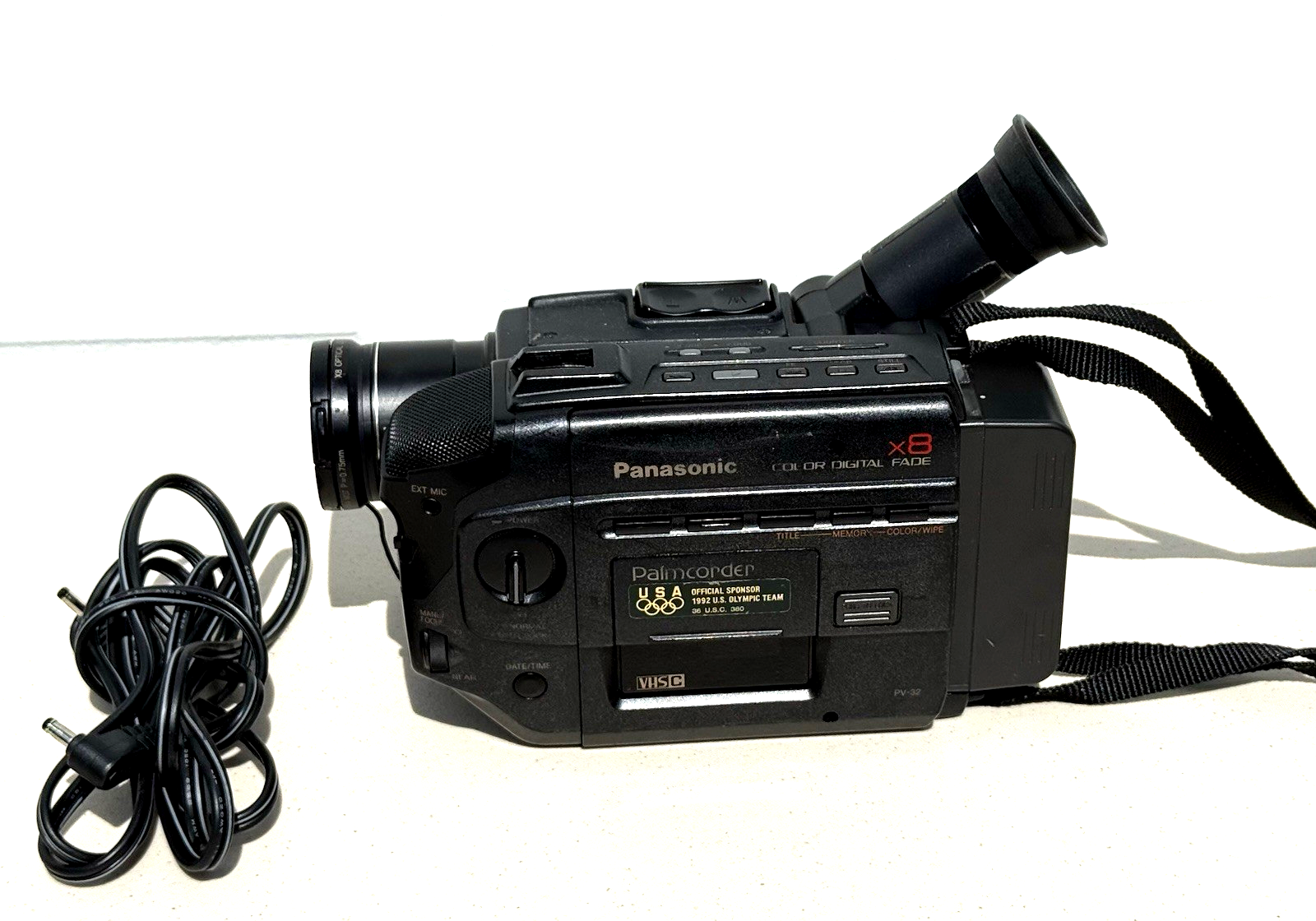
- Shot between 1990 and 1996, on a camera that looked like this
Doing this project was super nostalgic. There’s a certain vibe, a certain patina that these videos have that is unmistakable. The colors, the way the audio sounds, the whole thing is a time capsule from a different era. I’m not going to share all the videos here, but here’s a few thumbnails to give you an idea of what I’m working with. We had a little bit of everything, kids birthday parties, family trips, sports, pool days, beach days, ski days, tie dye, earthquakes and everything in between.
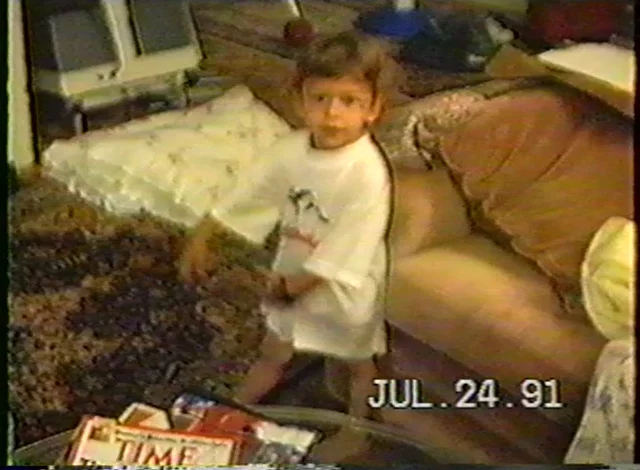

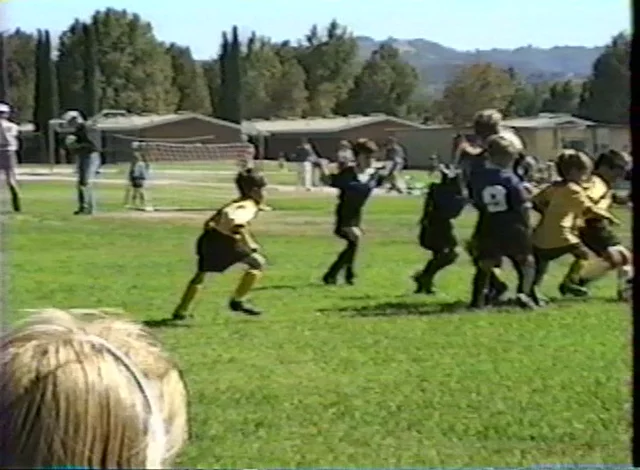
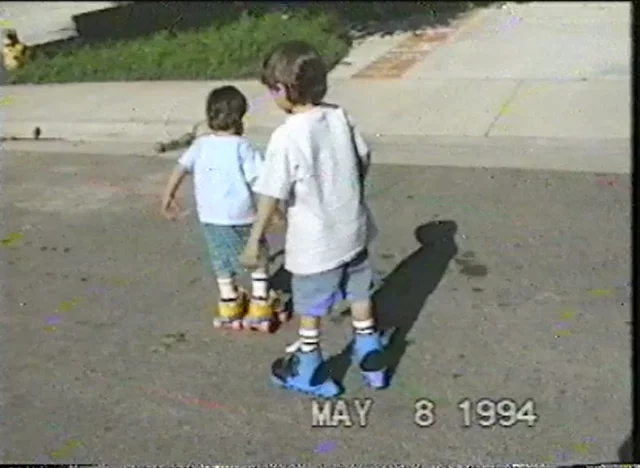

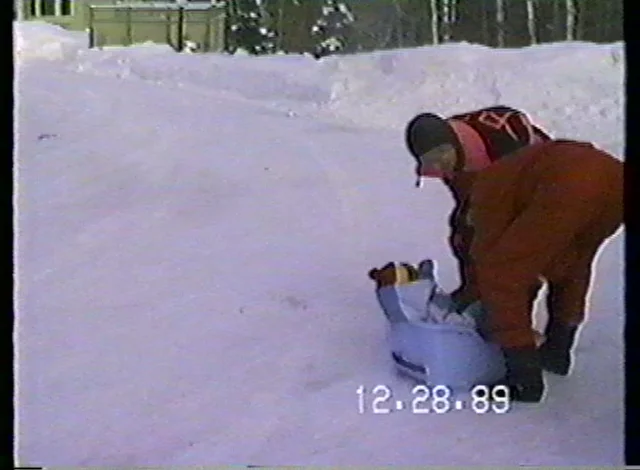
These videos have sat dormant and unwatched for decades, and it’s only now with Mux Robots that I was able to go through all of it and bring these family memories back to life.
Enter Mux Robots
Mux Robots on the surface is a set of one-off APIs to do some "AI stuff" with your Mux videos:
- POST /summarize
- Generate a summary & tags for the video
- POST /ask-questions
- Ask generic yes/no or multiple-choice style questions for the video
- POST /key-moments
- Parse out timestamps and descriptions of key moments from the video
- POST /chapters
- Generate a list of chapters for the video
But these few simple APIs unlock SUPERPOWERS FOR AGENTS, and that’s how I used it here.
Home Video Archive Agent
I built a "Home Video Archive Agent" to go through a collection that home movies from the 90s.
When I say I "built an agent", you might be imagining some kind of sophisticated, bespoke agent framework and execution harness. These days an agent can simply be Claude Code or Codex plus a prompt. That’s it. Here’s what I used in Claude Code:
Your task is to go through this archive of home videos. They are here in this videos/ directory.

The final output I want is a set of individual "Memory" records so that 1 memory corresponds to one "event" from the archive.

A single Mux Asset might be just a single memory (family beach day, for example).

Or more commonly it might be a compilation of several memories (Christmas with grandparents, pool party, 4 year old birthday party, etc.)

Ultimately, we want to output each "memory" as a standalone resource that we can build a web app around.

A single "Memory" should be saved into a directory as:
  - /memories/{title_slug}
    - /metadata.json – saves the asset_id and start_time and end_time timestamp, and title, description, tags, thumbnail timestamp
    - /transcript.txt
    - /transcript.vtt

For each video, use the `mux` CLI to upload it to Mux which gives you a Mux Asset. Use public playback IDs and auto-generated captions.

Wait for each asset to be ready.

Next, start exploring.

Make a file structure here to keep track of the data you’re collecting for each asset.

For example:

/assets/{id}/
    - summary.json
    - chapters.json
    - key-moments.json
    - questions.json

Tools you can use:

- Mux thumbnails / storyboards
- Mux text-track transcript from the auto-generated captions
- Mux Robots APIs – full Mux API spec here (https://www.mux.com/api-spec.json)

Start with one or two assets first, analyze them, understand what they are about, and make a plan.

Make sure you are thorough when figuring out the start and end timestamps for a memory. When you think you found the boundary, analyze sample thumbnails from before and after to make sure you’re finding the right timestamp to make the cut.

Use multiple data points to triangulate on the start and end times. Instead of relying on just the transcript or just the thumbnails in isolation, use the transcript, thumbnails, key moments, chapters, summary and the ask question tool to build up your confidence level of when a memory starts and ends.

Let me know what you find as you dig through the archive

Ask me questions for clarification as you are making the plan or stop and ask me to sanity-check your output as you’re going along.

After you have a few sample memories, pause and let me know.

We'll eventually be building out a simple webapp that looks like YouTube so that my family and I can browse all of these memories.
This whole process took a little back and forth. Here’s what I found as I was running this agent:
- The agent immediately understood the assignment, and realized that the videos had no particular order or sequence
- The agent understood that there were a few exceptions, a couple videos were short and appeared to be a single "memory"
- The agent came up with the idea to use the Mux Robots “Ask Questions” API to ask things like: Is this a video of a single memory, or is this a compilation video of multiple memories?
- The hardest part was finding the right boundaries of each memory. It got about 70% there on the first pass, but I had to ask it to do another few passes. I added a bit to the prompt which helped the agent slow down and check its work:
Make sure you are thorough when figuring out the start and end timestamps for a memory. When you think you found the boundary, analyze sample thumbnails from before and after to make sure you’re finding the right timestamp to make the cut. Use multiple data points to triangulate on the start and end times. Instead of relying on just the transcript or just the thumbnails in isolation, use the transcript, thumbnails, key moments, chapters, summary and the ask question tool to build up your confidence level of when a memory starts and ends.This was a very good exercise and a very good example of understanding what agents are good at, and what their limitations are. The thing I keep running into in general with coding agents is that they are extremely eager to get to a solution. A lot of my prompting and tweaks that I did through the process was making the thing slow down and check its work. Having a human in the loop here (me) to verify the output, check it, provide feedback, and iterate was critical.
Thanks Claude, now build me a YouTube
After we had the data structure in a good place, I wanted Claude to build out a web app so I can explore everything, and then obviously, to share it with my family. Everything we needed was stored in JSON files in the repo, so this was easy. Each "memory" contained:
- The asset_id and corresponding playback_id that contained the memory
- The start_time and end_time within that asset for this memory. This is used to map over to the Instant Clipping API. It was VERY COOL that with Mux I didn’t have to create new assets. It's still just 21 assets in Mux's world that get presented in a UI for 182 individual memories
- A title, a description, tags and a thumbnail_time and a transcript which is used in the UI
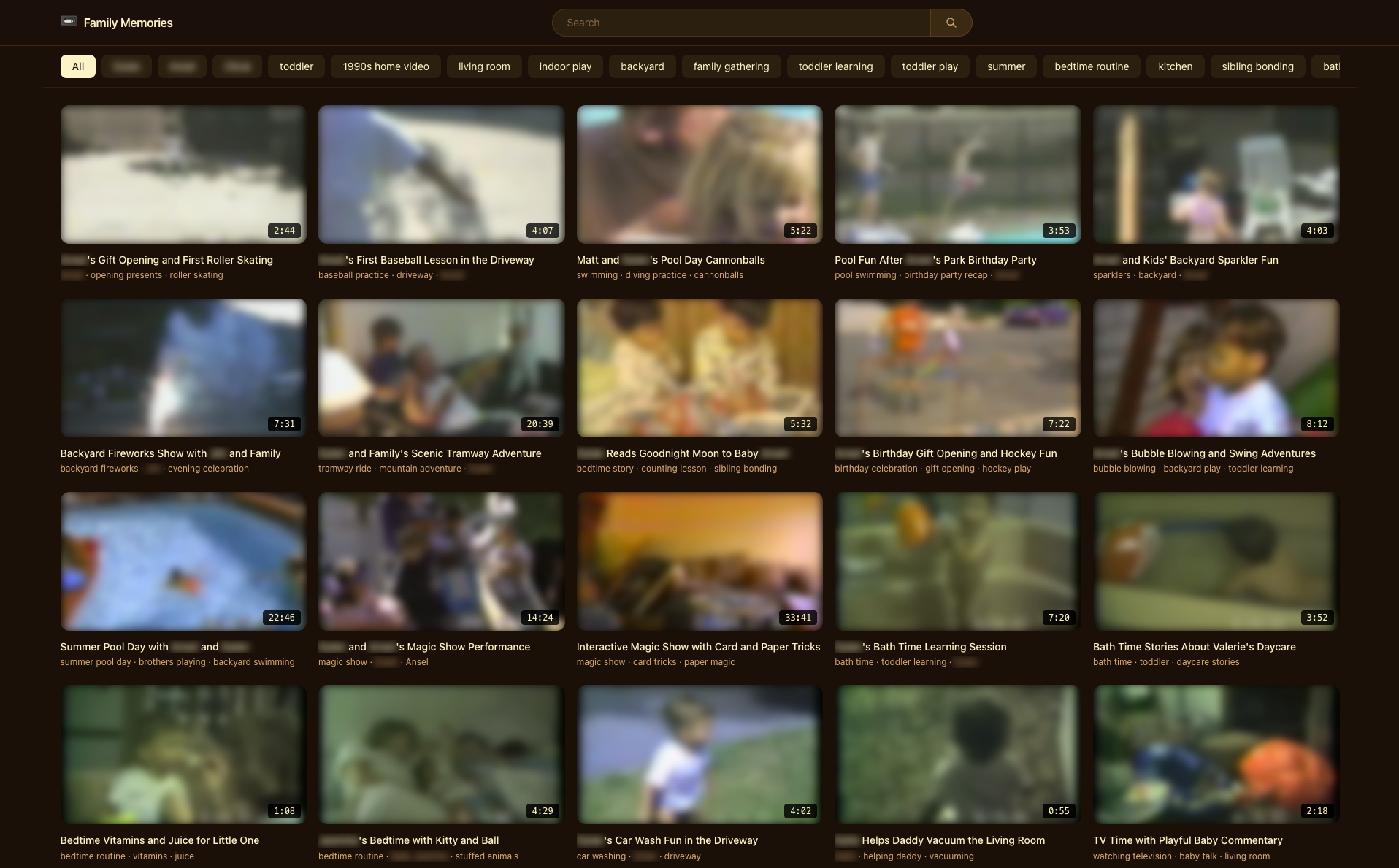
Ultimately, this is what I got! My own personal family YouTube.
- 182 Memories — average length of ~10 minutes each for a total of 31 hours of content
- 634 unique tags with an average of 6 tags per video
- Text search which searches titles, descriptions, tags and transcripts
- Related videos based on shared tags
Building this all for $10.61 with Mux Robots
Mux Robots pricing is structured so that there is a flat cost per job and a per-minute cost for each job based on the duration of the asset. For workflows like Ask questions, there’s also a cost per modifier.
This is how it broke down for my Video Archive Agent
ask questions (3)
- 21 assets * 0.00200
- 63 questions * 0.00200
- 1,860 minutes x 0.00050
~= $1.09800 to ask 3 questions for each video

key moments
- 21 assets * 0.0200
- 1,860 minutes x 0.00400
~= $7.86000 to detect key moments

chapters
- 21 assets * 0.00300
- 1,860 minutes x 0.00050
~= $0.99300 to generate chapters

summarization & tagging
- 21 assets * 0.00500
- 1,860 minutes x 0.00030
~= $0.66300 to generate summaries and tags
The way this all worked is that the agent knew about the APIs available and used each API and saved the output of each API in a local file so it could reference it.
There are more costs associated with the agent itself, in my case Claude Code, sending all the responses and data to Anthropic with different prompts in order to generate the data for each memory and build the web app. That was all covered by my Claude Code subscription.
Public playback IDs first, then signed
Playback IDs on Mux (the actual unique ID that is used to construct the playback URLs) can be public meaning anyone with the ID can access, or signed which requires your server to generate a signed json web token that expires at a certain point in time and can have domain restrictions.I usually recommend when building a proof-of-concept to keep things simple and use public playback IDs. It’s one less thing to manage, one less thing to debug, one less thing to keep track of. That works great, but for this content which is intended for only my family, I thought signed URLs would be best.
Claude was AMAZING at one-shotting this. I built everything with public playback IDs first, and then told Claude to switch over to signed playback IDs:
Right now the webapp uses public playback IDs. Use the mux CLI to create a signing key and then go through each asset and add a 'signed' playback ID to each one. Save the new playback IDs that you create. Then refactor the app so that all playback, thumbnails and storyboards used the new signed playback IDs. Let me know when you've done that so I can QA, and after I verify the whole app works with signed playback IDs, then we can do another pass and delete the old (now unused) public playback IDs.🎉 Worked like a charm. This makes development really easy. We built everything with public playback IDs, and then one-shotted the transition to signed playback IDs before deploying.
A few of my takeaways from this project
Mux Robots + Mux CLI is AWESOME
This was so fun to share with my family. We've now collectively spent a lot of hours going through these old memories. Truly priceless stuff that was locked away until I had access to Mux Robots. An AI agent that has access to the Mux CLI plus the Mux Robots API is a powerful combination.
Agents are amazing, they're also kinda dumb
I keep finding myself simultaneously blown away at the power of these agents, and then also frustrated when they don't do what I want. It takes careful nurturing, paying attention, guiding and debugging to get everything right. A lot of the schlep that comes with building products is gone, but none of the hard work of actually thinking through what you want, how it should work, and checking if it actually works is done for you. That part is still on you.
This opens up so many new things I wasn't able to do before
This is the kind of project that I never would have done without agents. First off, the heavy lifting of parsing, processing, organizing, tagging video content and then the second, easier part of building a bespoke app for an audience of only my family.
Having said that, there's probably a lot I'm not going to vibe code. With all the software I can spin up and deploy, I'm not too excited about maintaining it, fixing bugs, adding features, and doing all that work that is required over the long life of software. Software is not static, it degrades over time and requires constant effort and attention to keep it running. The build vs. buy equation has definitely changed and there are a lot more things you can build now that you couldn't before, but that doesn't necessarily mean you should build everything. I'm still perfectly happy to pay a fair price or a piece of software that someone sells if it works well and solves my problem.
For your video archive
If you have an archive of video content, whether it's family VHS tapes from the 90s, your kids' dance recitals, meeting recordings from client calls, conference presentations, or meetup talks, you might have a lot of fun throwing an agent at it with Mux Robots and seeing what you have.