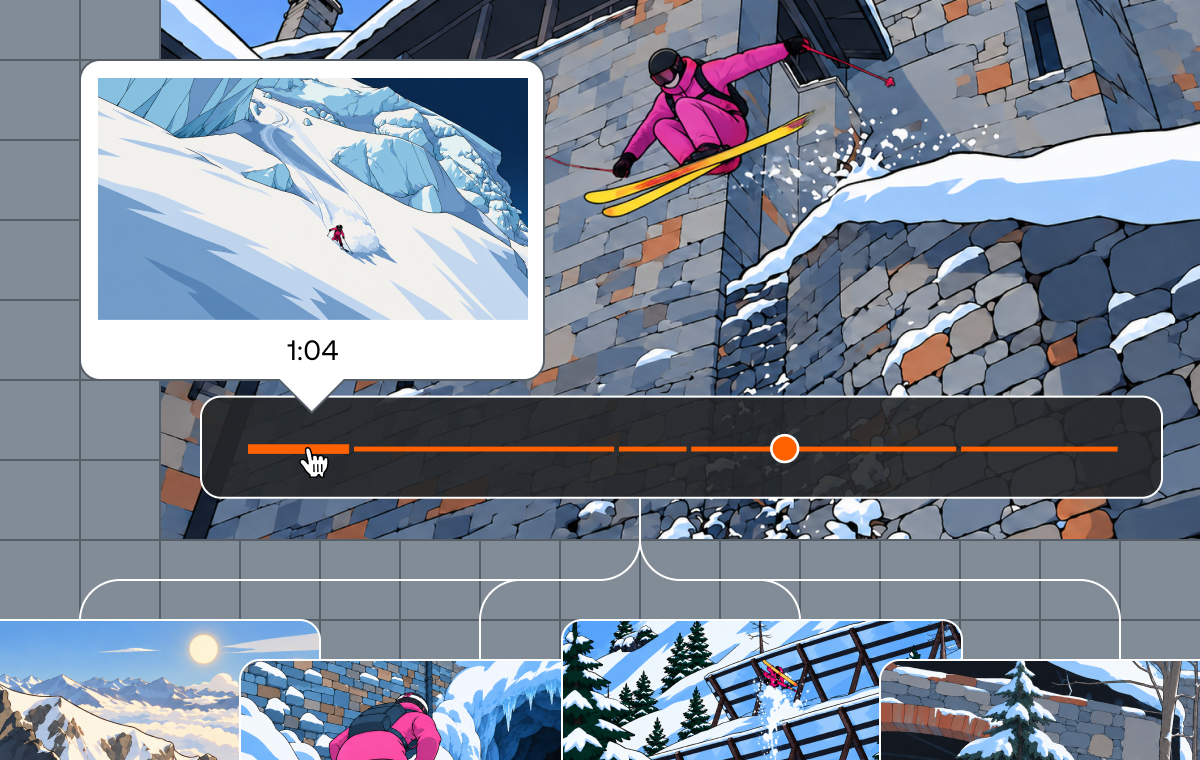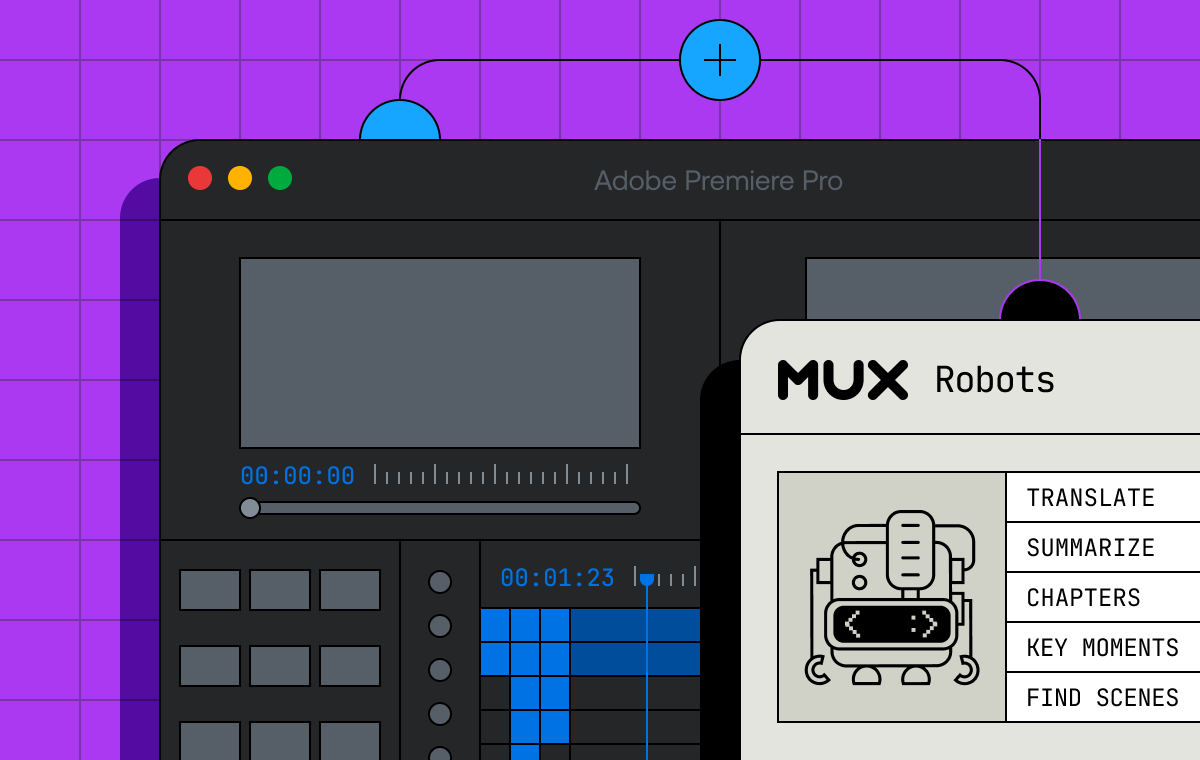
Confession: I did not care much about football as recently as May. But by the time España lifted the trophy last month, I was watching matches I had no stake in, still unable to explain offside.
Somewhere in one of those matches, I noticed what the picture on the screen sometimes did: the grassy pitch slides into one corner and scales down, and the space around it opens up and fills with a sponsor card, a second angle, or the studio desk. You don’t miss a moment of the game.
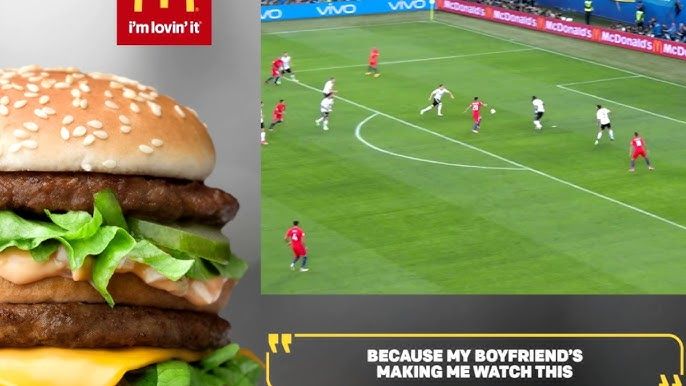
I'd seen that effect a bajillion times without really looking too hard at it. It's just what television does. But during one of my infamous 2am can’t-sleep iPhone research sessions, I learned it actually has a name: a squeezeback.
The closest thing I’ve seen for this effect on the web is a YouTube video where somebody squeezes the frame in After Effects and renders it out. The layout is a picture, baked in before upload, and the most interactive it gets is a hotspot on top of a motion graphic someone already designed.
Which is strange… because a squeeze is just a layout change, and browsers are very good at layout changes! Do it in CSS and the space that opens is a cell you can put a real element in, chosen at playback instead of in post.
The flexibility of a smooshy CSS grid
What happens if we put the player in the center cell of a 3×3 grid where the six outer tracks are collapsed to nothing, then animate the track sizes?
.stage {
  display: grid;
  grid-template-columns: 0fr 100fr 0fr;
  grid-template-rows: 0fr 100fr 0fr;
  overflow: hidden;
  transition:
    grid-template-columns 850ms cubic-bezier(0.65, 0, 0.35, 1),
    grid-template-rows 850ms cubic-bezier(0.65, 0, 0.35, 1);
}
.stage[data-layout='right-rail']  { grid-template-columns: 0fr 62fr 38fr; }
.stage[data-layout='lower-third'] { grid-template-rows: 0fr 74fr 26fr; }
.stage[data-layout='squeeze'] {
  grid-template-columns: 5fr 63fr 32fr;
  grid-template-rows: 0fr 82fr 18fr;
  row-gap: 8.9%;
}
Woah. That's an entire motion system! It doesn’t even need a transform on the video or scaling wrapper or requestAnimationFrame loop measuring anything. The video is a normal grid item in a cell that's getting smaller, and the panels parked in the other cells get revealed as their track values leave zero.
The reveal and the shrink are the same event. The panel was always sitting in that cell at full size. The shrink is just the moment the cell stops hiding it. Isn't CSS neat?
That row-gap: 8.9% is the only odd number in there. Percentage gaps resolve against height, and at 16/9, 8.9% of height is 5% of width, which is exactly the 5fr left column. The top track is 0fr, so that one value makes the space above and below at the same time. Equal inset on three sides.
Unfortunately, you can't write it in cqw and skip the math since the stage is the query container, and a container can't query itself.
The timeline is a text file
Video.js v10 is a React video player component library: createPlayer, hooks, composable primitives, etc. but what it doesn't do is invent a scheduling system, because the browser already has a perfectly good one: WebVTT.
WEBVTT

away-kit
00:00:04.000 --> 00:00:12.000
right-rail

champions-bundle
00:00:26.000 --> 00:00:34.000
squeeze
Every cue has an optional identifier line right above the timestamps that isn’t really used very often, but it's perfect for this use case. The identifier becomes the product key, the payload becomes the layout, and the copy and pricing stay in your app keyed by that id. If you’re working on shoppable video, a merchandiser could retime the whole experience by editing a text file, and your pipeline can generate one per asset without a deployment.
You can add it to the player as a <track> element and let the browser tell you when something is active:
<MuxVideo src={src} autoPlay muted playsInline loop crossOrigin="anonymous">
  <track kind="metadata" label="cta" src="/cta-cues.vtt" default />
</MuxVideo>
Video.js v10’s usePlayer takes a selector arg, so selectTextTrack subscribes you to just the text track slice of the store and nothing else. That matters because you aren't re-rendering on every timeupdate, and you get told when the track has actually registered, because tracks come and go while the engine attaches.
import { usePlayer, selectTextTrack } from '@videojs/react';

const { textTrackList } = usePlayer(selectTextTrack);
const ready = textTrackList.some((t) => t.label === 'cta');
The store models tracks as plain descriptors, so once it says yours exists, you can check the live TextTrack to access the cues themselves:
track.mode = 'hidden';

track.addEventListener('cuechange', () => {
  const cue = track.activeCues?.[0];
  setActiveCue(cue ? { id: cue.id, layout: cue.text.trim() } : null);
});
A text track has three modes: showing paints cues on screen as captions, disabled stops cuechange firing at all, and hidden parses the cues and fires the events without rendering anything - so that’s the one we’re using to fire layout changes.
Once you're listening for cuechange instead of polling currentTime on a timer, scrubbing backwards through a cue window, looping and seeking all behave correctly without you writing a line for any of them.
You can then bind it to the DOM with one data attribute:
<div className="stage" data-layout={cue?.layout ?? 'full'}>
One warning: for now, you should build the cues in a file rather than in JavaScript, at least as of writing this post. hls.js clears the cues off every text track when it attaches, and v10 ships a mixin that repairs the damage by finding the <track> element and reloading it. A track you created with addTextTrack() has no element to reload, so it silently stays empty while everything else looks correct. We should make that louder or fix it, but file-based VTT will work for now.
Let the video light up the room
I’ve always liked the gradient effect that my hue lights spill out behind my TV screen, matching the colors off of the display. Let's create that here, too:
<canvas ref={canvasRef} width={32} height={18} className="stage__ambient" />

const ctx = canvas.getContext('2d', { willReadFrequently: true });

let lastDraw = 0;
const tick = (now) => {
  frame = requestAnimationFrame(tick);
  if (now - lastDraw < 100) return;  // ten times a second is plenty
  lastDraw = now;
  if (!video.videoWidth) return;     // nothing decoded yet

  ctx.drawImage(video, 0, 0, 32, 18);
};

frame = requestAnimationFrame(tick);
We can use CSS to stretch a canvas across the stage and blur it into mush, so the revealed space gets lit by whatever is on screen. It’s a pretty performant solution too, so you don’t have to worry too much about the cost of implementing this effect.
willReadFrequently: true warns the browser you plan to read this canvas back, and without it the canvas lives on the GPU where getImageData stalls every call. Also, videoRef has to point at the actual <video> element.
The Media object you get back from useMedia() is a runtime-agnostic wrapper, and drawImage wants a CanvasImageSource, so handing it the wrapper leaves you with a blank canvas and nothing in the console to explain why.
We can even read and use the frame colors and pull an accent color for the buy button background color.
My first attempt at this averaged the red, green, and blue channels and produced the same olive brown on every frame, because the bright sky and the dark shadows from the video cancel out and land right in the middle of the color wheel.
The fix was to treat the frame’s hue as an angle instead of just an averaged number:
const weight = saturation * (1 - Math.abs(2 * lightness - 1));
x += Math.cos(hueRadians) * weight;
y += Math.sin(hueRadians) * weight;
There are two constraints for this to work: the player needs crossOrigin="anonymous" and the source needs CORS headers, or getImageData throws an error. And it only works on unencrypted content, because Widevine and FairPlay frames can't be drawn to a canvas at all, so you’d have to catch the throw from drawImage and fall back to a static gradient.
Two CSS gotchas
1. Grid fr values only interpolate correctly if the totals match. A track's rendered size is its value divided by the total of every value in the template, so animating between templates with different totals moves the numerator and denominator at separate times. My resting state was 0fr 1fr 0fr and my squeeze was 0fr 76fr 18fr, and the video did this on the way back:
0ms   w=63%  h=68%
365ms   w=64%  h=79%     ← 365ms in, the width has moved one percent
630ms   w=92%  h=96%     ← now it's sprinting
724ms   w=100% h=100%
So a single transition working across two axes with two completely different curves created a squeezeback that looked like it was being reeled in on a fishing line. Woah, Nelly! Instead, you have to match the totals so the fraction moves linearly on the curve you asked for.
2. @property fails silently: The Video.js default skin resolves every corner radius from one variable, so the video can be square at full bleed and rounded once it floats free. That means animating a length, and custom properties don't interpolate at all until they're registered:
@property --media-border-radius {
   syntax: '<length>';
   inherits: true;
   initial-value: 2rem;  /* ← invalidates the whole rule */
}
The initial-value of a registered property has to be computationally independent, which rules out using rem, em, and percentages, and getting it wrong invalidates the entire rule. The skin default is 2rem, so 2rem is what I wrote and broke the whole thing. Write 32px instead and it works.
getComputedStyle(document.documentElement).getPropertyValue('--media-border-radius')
// '32px' if it registered, '' if the rule was thrown awayHow about forms?
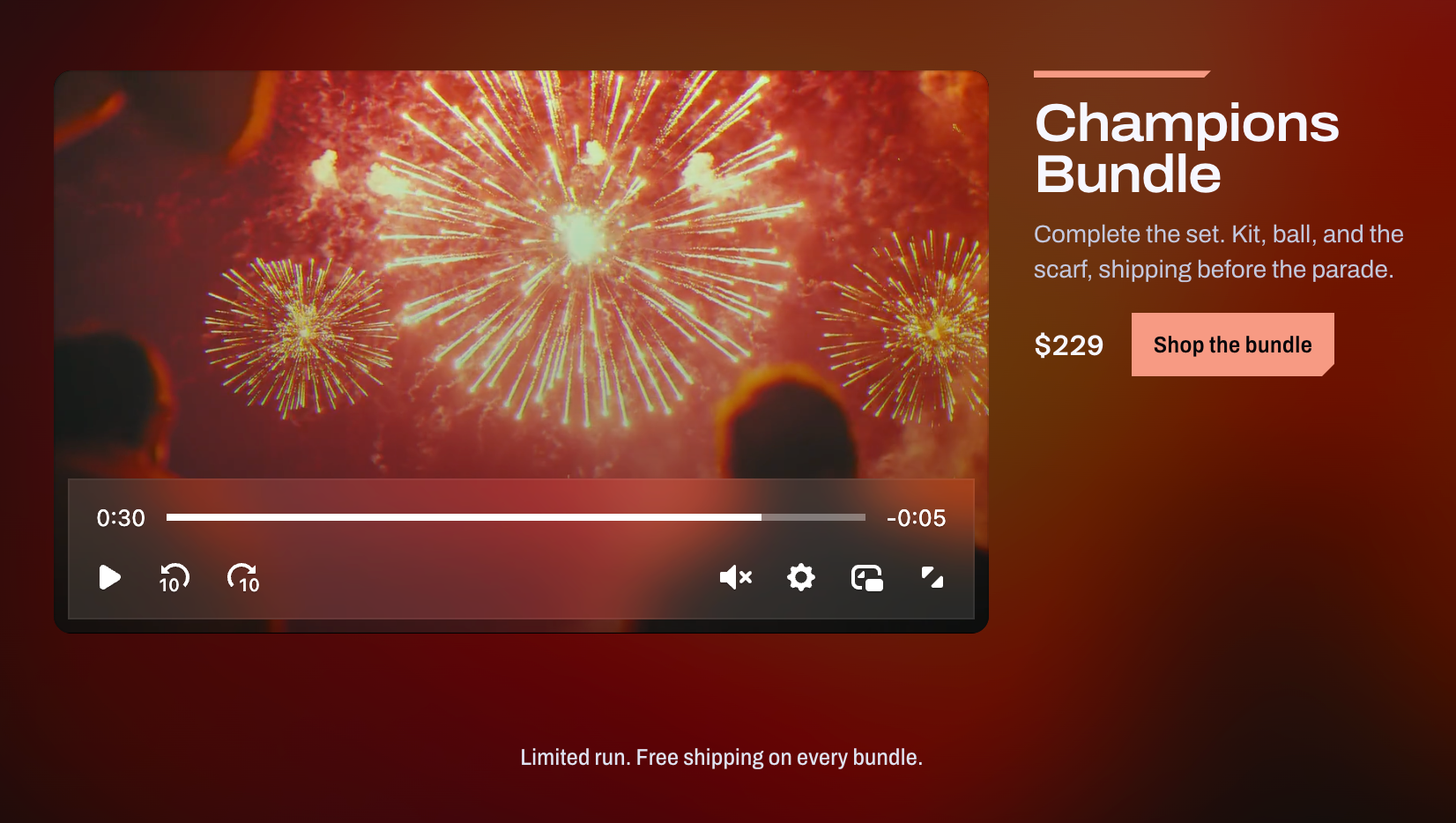
You can use this technique to show more than simple Buy Now buttons as demo'ed in the video at the top of this post. In a squeezeback you can use the same panel with different contents of your choice.
newsletter: {
  right: {
    kind: 'form',
    title: 'Match report, every Monday',
    body: 'One email a week. Goals, kits, and whatever we just shipped.',
    action: 'Subscribe',
  },
},
The only issue with this is if the cue expires mid-keystroke, the grid collapses the field out from under them, and the person filling it out wonders wtf just happened to their signup form.
So the cue proposes the layout, and when the form field is focused by the user, it overrides the exit.
export function useCueHeldByFocus(cue, containerRef) {
  const [focusHeld, setFocusHeld] = useState(null);
  const lastCue = useRef(null);

  // Capture during render, so a hold that starts mid-cue holds *that* cue.
  if (cue) lastCue.current = cue;

  useEffect(() => {
    const onFocusIn = (event) => {
      if (containerRef.current?.contains(event.target)) {
        setFocusHeld(lastCue.current);
      }
    };

    const onFocusOut = (event) => {
      const node = containerRef.current;
      if (!node?.contains(event.target)) return;
      // relatedTarget is where focus is heading. Staying inside is not an exit.
      if (node.contains(event.relatedTarget)) return;
      setFocusHeld(null);
    };

    document.addEventListener('focusin', onFocusIn);
    document.addEventListener('focusout', onFocusOut);
    return () => {
      document.removeEventListener('focusin', onFocusIn);
      document.removeEventListener('focusout', onFocusOut);
    };
  }, [containerRef]);

  // focusout seems kinda unreliable, so we re-check the live activeElement when the cue changes.
  useEffect(() => {
    if (!focusHeld) return;
    if (!containerRef.current?.contains(document.activeElement)) {
      setFocusHeld(null);
    }
  }, [cue, focusHeld, containerRef]);

  return focusHeld ?? cue;
}
While anything in the panel has focus, the layout freezes. The timeline underneath keeps running, and the moment focus leaves, the grid catches up to wherever it got to. The hold beats an expiring cue and an arriving one equally, because collapsing the field and replacing it are the same problem for someone halfway through typing.
The squeeze is older than the web
All of that took an afternoon and a stylesheet. But for funsies, it's worth knowing what it used to take.
Apparently, the hardware could do it by the early eighties. Ampex's ADO and the digital video effects boxes that followed could scale and reposition a live signal in real time, and they cost enough that the capability stayed locked up in post-production, where a squeezeback was a prestige effect you budgeted for. Doing one live was rare enough to be worth remarking on.
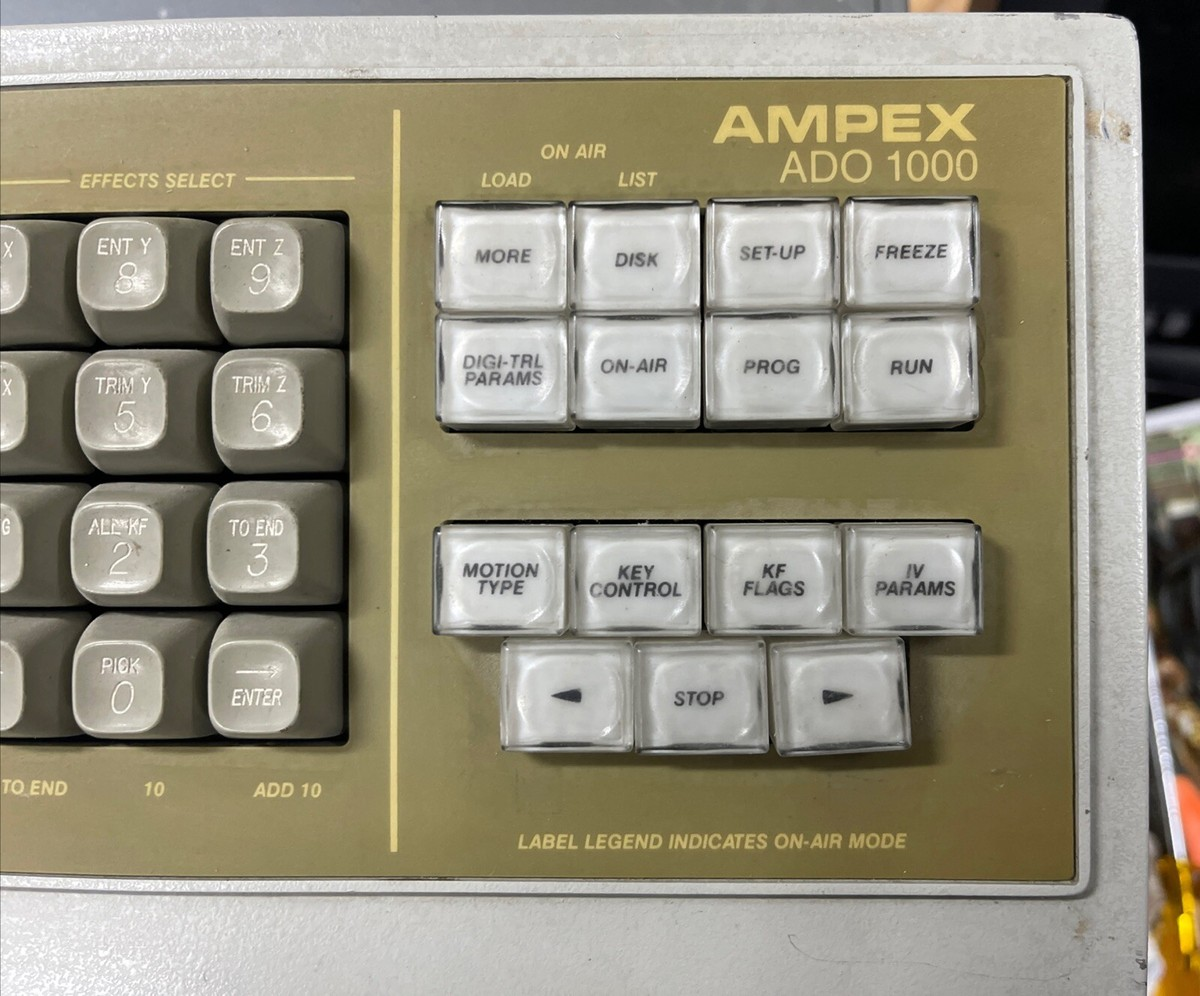
Then manufacturers folded DVEs into character generators, the box already sitting on the transmission path, and the squeeze stopped being a special effect and became a layout. North American networks started squeezing end credits to trail the next show in the late nineties, Channel 4 carried it across the Atlantic, and the BBC was running live promo squeezes by 2000.
Sports got there at roughly the same time and then seemingly lost interest for six years. TBS put ads beside a live NASCAR race in 2000, the format went dormant across the next rights deal, Turner revived it for the Wide Open Daytona broadcasts from 2007 to 2011, ESPN followed with NASCAR Nonstop until 2014, and Fox spent 2025 pushing side-by-side across its green-flag breaks.
A full twenty years passed between possible and routine, and the gap only closed when the effect moved into a tool people already had open. Too lazy? Too pricey? I feel like an argument could be made either way.
Don’t stop there
Every layout in this post returns to full bleed when its cue ends, but nothing requires that. If you leave the last cue open, the video will stay exactly where the squeeze left it, holding a corner of a grid that now has room for a whole page-like layout underneath.
.stage[data-layout='handoff'] {
  grid-template-columns: 0fr 30fr 70fr;
  grid-template-rows:    0fr 30fr 70fr;
}
The video keeps a 30% corner and keeps playing, the bottom row opens to full width, and that row can include full product details. Playback remains smooth as a baby’s tuchus, since we’re not touching the video player at all.
You can imagine all kinds of different use cases for this treatment:
- A sign language interpreter in a corner cell, cued by the VTT so it only appears for the segments that need one.
- Slides beside a talk, timed by the same text file the video already ships with.
- A second angle that trades places with the main one (nothing says the center cell has to be the big one).
The demo code is on GitHub. If you build something with it, send it our way!