Updated 10/27/26: Mux Robots is now GA and production ready with a stable API. Find scenes has been deprecated as a standalone workflow. Use Analyze Structure to get the same data with more context. Learn more
I grew up skiing, and every fall I start looking ahead to winter. I consider where I might ski, which trips I can make work, and how soon the snow will arrive. That anticipation brings me back to the ski films I grew up watching, along with the favorites I've found since. Candide Thovex was always somewhere in the rotation. One I’ve come back to more recently is Markus Eder's The Ultimate Run.
It's ten minutes of skiing edited to look like one improbable run. Eder moves from high-alpine powder through glaciers, cliffs, a snow park, a castle, and into the bed of a truck before reaching the valley floor. It plays as a single ski run.
I've spent much of this year working on Mux Robots, thinking about how AI systems work with video. As ski season started occupying more of my brain again, the two collided. The Ultimate Run turned out to be a good way to explain something we'd been building. The same video looks very different depending on the question a workflow needs to answer.
For an AI system analyzing The Ultimate Run, no single method of breaking down the video is right for every question. To find the instant Eder gets the most air, use a frame. To identify the cut from one camera angle to another, use a shot. To locate the full glacier sequence, use a scene.
These are the building blocks we use at Mux to make video AI workflows more focused and efficient. Using The Ultimate Run as a consistent example, we'll look at what each block captures, when to use it, and how they work together.
Start with the question
A one-hour video at 30 frames per second contains 108,000 frames. Passing every image to a vision model would be slow and expensive. Most of the work would go into repeatedly analyzing frames that add nothing new to the answer.
This was one of the first problems we had to solve when we built Mux Robots. Before a model can answer a question about a video, we have to decide how much of the video it needs to see. Choosing a useful piece of the video first makes the problem smaller. Frames and shots give workflows focused visual inputs. Scenes group the stretches that belong together in meaning, not just in appearance. Moments and chapters turn that understanding into results meant for a viewer.
The goal is to give the model the smallest amount of the video as possible while still holding enough context to answer the question.
Here's what that looks like against The Ultimate Run:
Question | Reach for | What it gives you |
|---|---|---|
Which image shows Eder getting the most air? | A frame | One image at one timestamp |
Where did the edit cut to a new view? | A shot | A continuous take between cuts |
Where does the glacier sequence begin and end? | A scene | A complete visual or narrative section |
Which part will convince my friends to book the trip? | A moment | A selective, viewer-facing excerpt |
Which section do I want to jump back to? | A chapter | A named section of a longer video |
Which part has him skiing through the ice tunnel? | An embedding-backed search | A result retrieved by meaning |
When one instant is enough, use a frame
A single frame can answer a lot of questions. Who's on screen? Is a logo visible? What text appeared? Which image shows Eder getting the most air?
Mux Robots uses frames for jobs where one image carries the answer. Find Best Thumbnail scores candidate frames on composition, clarity, faces, visible action, and other signals that help an image work on its own. Moderation analyzes individual frames throughout a video for visual signals such as nudity or violence.
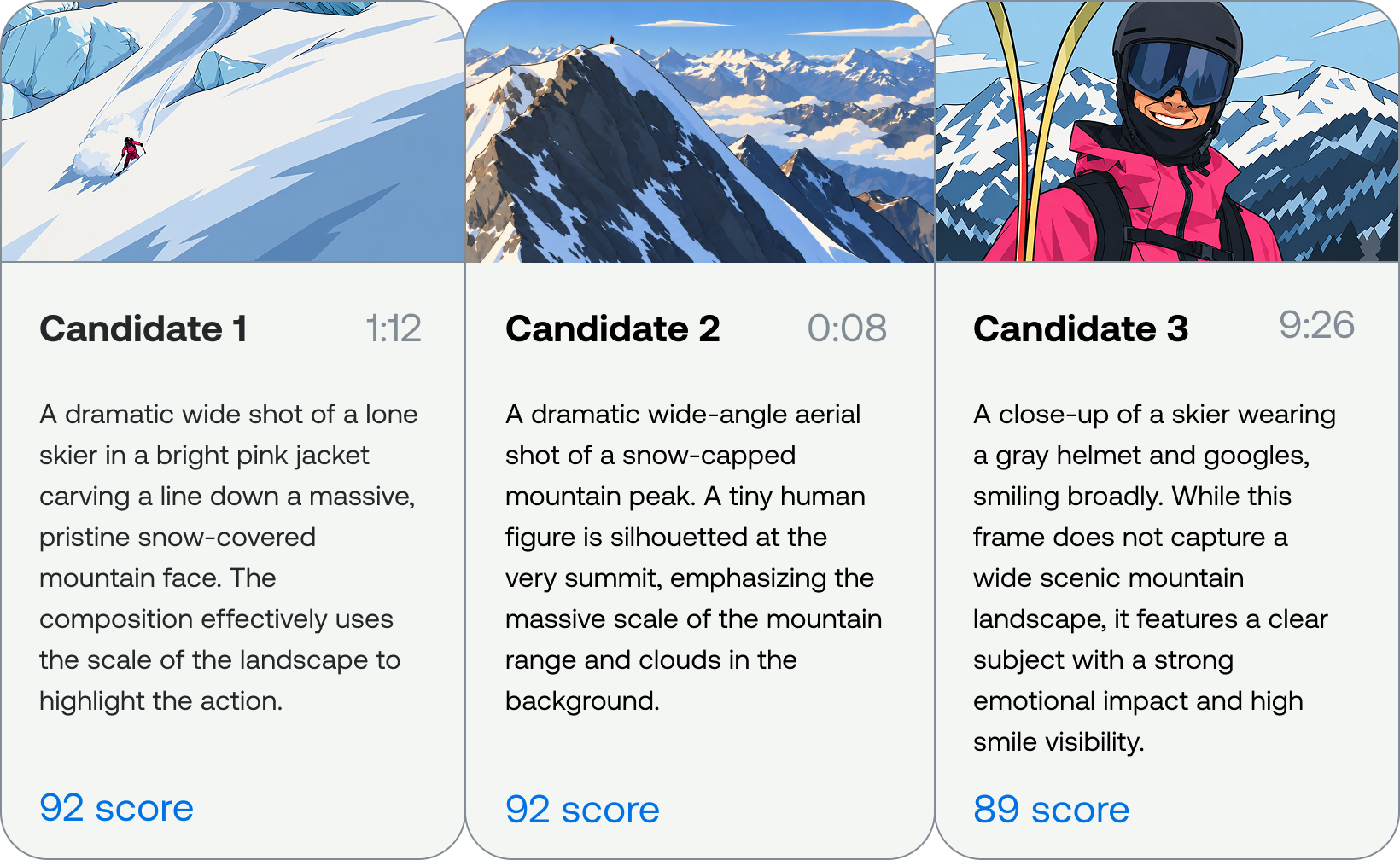
"Best" also depends on who'll see the image and what you want it to do. A skier may care about the scale of the jump, the difficulty of the line, or the position of Eder's body in the air. Someone who doesn't ski may respond more to the landscape or the overall composition. Find Best Thumbnail supports output steering for audience and intent (as do all of our workflows), so the workflow can weigh those preferences when it scores candidates.
A frame becomes a poor fit when the answer depends on sequence or timing. One image can show Eder halfway through a rotation, but it can't tell us whether he landed. A frame can show him inside a glacier, but not how he got in or where he comes out. Sampling more frames covers some of those gaps, but cost and latency rise with every image. A smaller set of frames chosen for a reason usually gives a model a stronger input than a larger uniform sample.
When the picture changes, use a shot
A shot is a continuous take between two cuts. It answers a narrow question: when did the visual state change?
Mux Video's Shots feature finds likely cuts by comparing consecutive frames using inexpensive visual signals. Grzegorz wrote a detailed breakdown of the shot detection algorithm, so I'll leave the mechanics there. What matters for a workflow is the output, which is an ordered list of boundaries and a representative image for each shot.
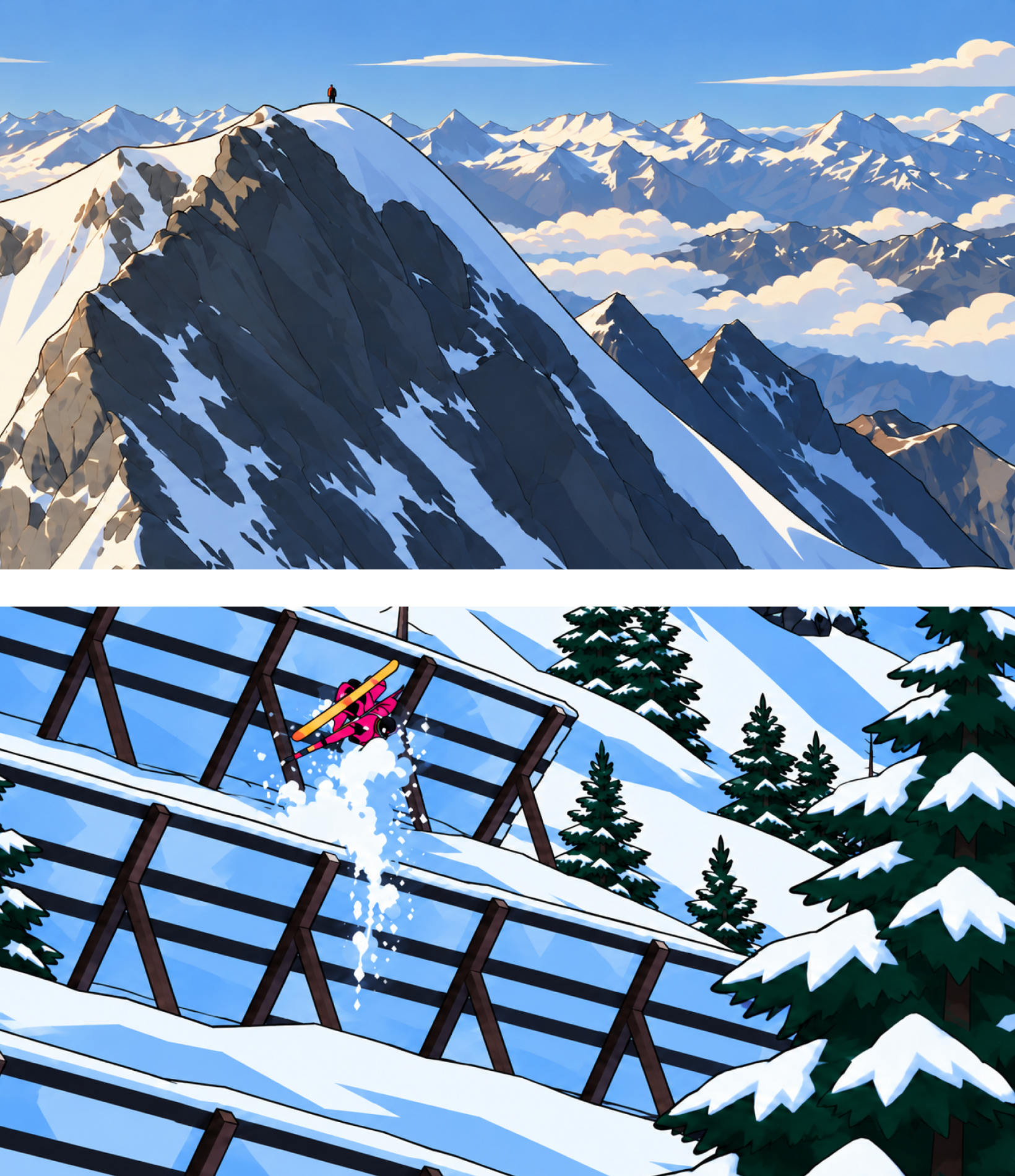
The Ultimate Run is dense, fast-cut visual content. A fixed sampling interval can skip a brief camera angle, jump, or change in terrain. Shot-aware sampling keeps those distinct visual states without asking a model to inspect every frame. If we take a fixed-sample at the beginning of this shot, we don’t even know that Eder is doing flips throughout the town.

A shot still can't tell us that Eder made it back to the lift line. It gives the next system a map of visual change. Other signals decide what those changes mean.
That distinction matters across content types. Ten minutes of a podcast may contain only a handful of visual states, while fast-paced content like this moves through them constantly. The useful input depends on the content as much as on the question.
When you need a complete section, use a scene
Finding the cut into the glacier is a shot question. Finding the entire glacier sequence is a scene question.
A scene groups neighboring shots that belong together visually or narratively. Its boundaries need more context than pixel changes alone can provide. Where does this narrative sequence begin and end? Which stretch covers the snow park? Which images, sounds, and actions combine into one recognizable part of the video?
We've written before about how Find Scenes builds this structure. The short version is that visual boundaries provide the initial windows, available transcript cues add audible context, and model reasoning groups neighboring windows that describe the same part of the video.
The Ultimate Run has little spoken narration; this is where Robots’ multi-modality really shines and allows the visual changes to carry most of that work. The shots around the glacier may come from different camera positions, but together they describe a larger sequence that a viewer recognizes as one part of the run.
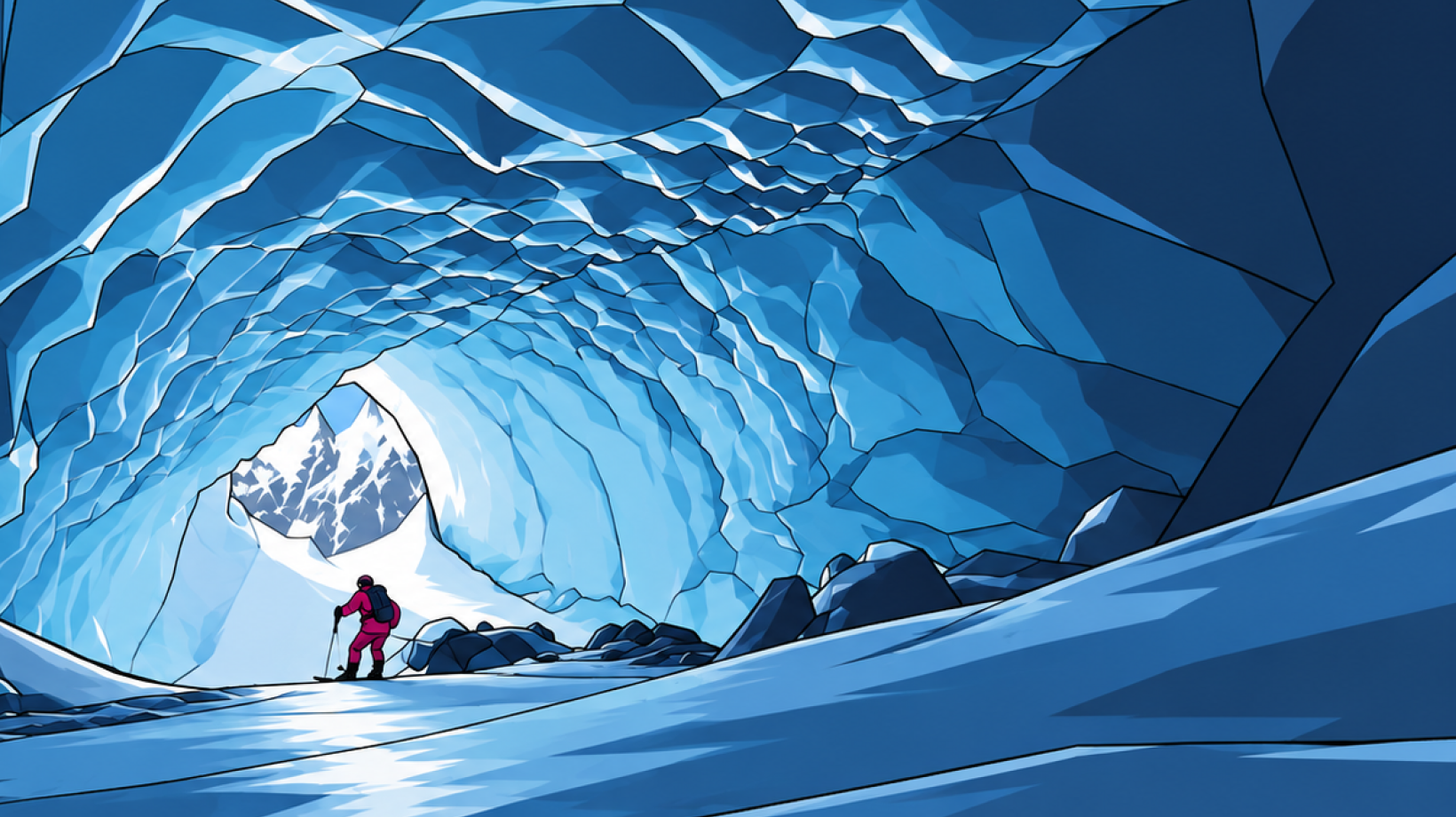
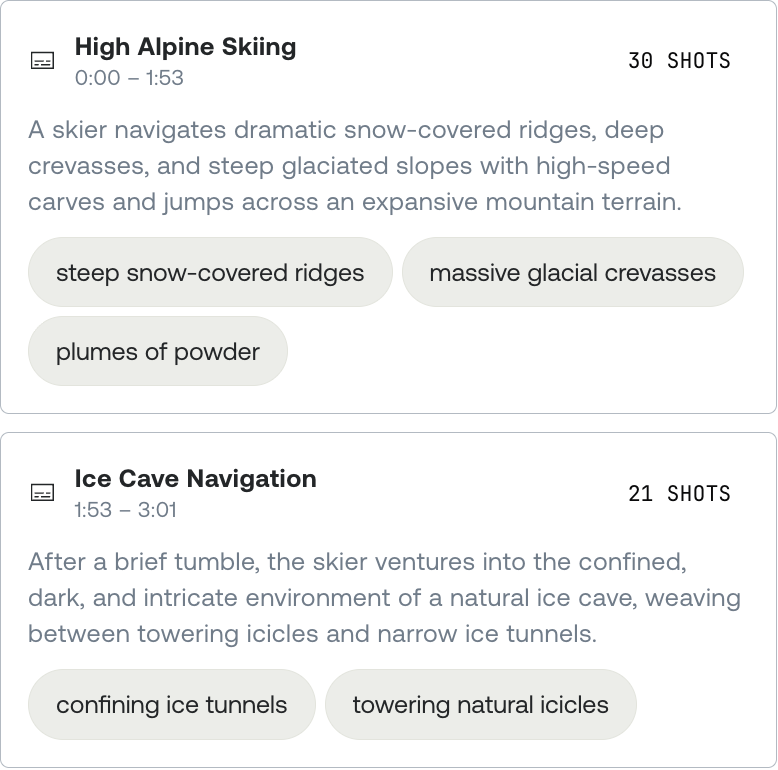
Scenes give your application a compact map of a video, providing timed sections with enough context for browsing, search, editor timelines, navigation, or agent reasoning. For The Ultimate Run, that means an application can return the glacier sequence as one coherent result instead of a pile of neighboring shots.
Moments and chapters answer product questions
Frames, shots, and scenes describe what's in the media. Moments and chapters go a step further. Their boundaries depend on what someone wants to do with the result.
In The Ultimate Run, a single shot can catch Eder in midair. While this makes a great hero shot, highlights go beyond just a singular moment. A key moment captures a standalone excerpt worth pulling out. The whole trick, from the approach to the takeoff to the landing, has enough context to work as a clip on its own.
Find Key Moments begins with Shots, adds overlapping transcript context when available, and evaluates continuous ranges. Once it selects a candidate, it samples frames inside that range to describe how the action unfolds. Shot boundaries provide clean visual edges; transcript and frames help determine whether the excerpt stands on its own. The result is built for a viewer rather than as another low-level input.
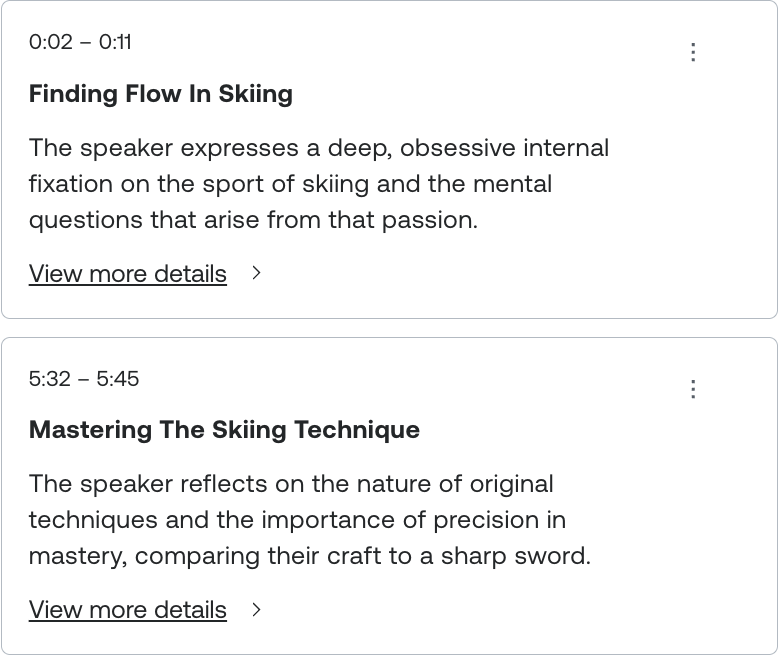
Chapters answer a navigation question. They divide a longer video into named sections that help viewers jump to the part they want.
The chapters of The Ultimate Run follow the major phases of Eder's descent: "High alpine," "Glacier and ice tunnel," "Cliffs and snow park," "The castle," and "The final descent." Together, they form a table of contents for the entire film. Unlike key moments, chapters aren't limited to the most remarkable excerpts. Every part of the video belongs somewhere.
The Ultimate Run makes those chapters easy for a viewer to recognize because the setting changes dramatically throughout the run. Generate Chapters, though, gets most of its evidence from the transcript, and the film contains very little speech. Even without a caption track, our multimodal workflows still function, but with less context, Generate Chapters has less to work with than it would for a podcast or a lecture. Find Scenes is better suited to identifying the visual structure of this particular video.
In short, a scene describes a stretch of media that belongs together, while a chapter gives that stretch a place in a viewer-facing navigation structure.
A single stretch of the film can be a scene, belong to a chapter, and contain a key moment. Those labels aren't interchangeable. Each one answers a different product question.
Workflows combine these building blocks
Choosing where to start doesn't mean a workflow stays at that level of detail. Most useful workflows start with the least expensive signal that can narrow the search, then add detail where it can change the answer.
For thumbnail selection, shots divide the video into distinct visual states. Frames supply the actual images that can become thumbnails. Using both stops a fixed candidate budget from being spent on nearly identical frames from the same shot.
During key-moment discovery, shots create candidate ranges and help avoid clips that begin or end halfway through a cut. Transcript cues explain what was said when speech is present. Frames inside promising ranges show how the action develops. Those inputs produce a moment with editorial meaning.
Scene discovery in a mostly visual ski film leans on shot changes and representative images to do more of the work. In a podcast, transcript cues may carry the topic changes while the camera barely moves.
One lesson I keep coming back to from working on these workflows is that more context isn't automatically better context. A workflow improves when it gets the information that can change its answer and skips the rest.
Embeddings face the same choice
A few weeks after watching Eder's run, someone might remember the ice tunnel without knowing where it appears in the video. "Which part has him skiing inside the glacier?" is a retrieval question.
Embeddings turn text, images, or multimodal input into vectors that a system can compare by meaning. They solve a different part of the problem by finding relevant content rather than deciding where one shot or scene ends.
The granularity question doesn't go away, though. Should that search return the entire film, the glacier scene, the shot inside the tunnel, or one exact frame? A whole-video result may be enough for a related-content recommendation. It isn't precise enough to seek directly to one visual event.
An embedding might represent an asset, a transcript range, a visual span, a description, or a multimodal chunk. The implementation can change with the model. The useful result still needs to be broad enough to make sense and precise enough to use.
There isn't one universally correct retrieval granularity for video. If you've been thinking about the same problem, shoot us a message. Our product team would love to show you what we’re working on.
Use the smallest piece of video that contains the answer
"Use AI to analyze this video" sounds like one task. In practice, a useful workflow makes several choices before a model answers anything.
It picks the least expensive signal to narrow the search. It adds speech or visual detail when the question requires it. It adapts to the content instead of treating a podcast like a ski film. And it keeps machine-oriented inputs separate from the concepts you put in front of a viewer.
Those choices pay off across the workflows we run today and any potential future workflows: thumbnail selection, moderation, engagement analysis, automatic reframing, search, clip discovery, and navigation. The same groundwork can support editor timelines, ad placement, trailer assembly, accessibility descriptions, compliance review, and workflows that analyze only the relevant slice of an asset.
Eder's descent plays as one continuous line down a mountain. To a workflow, it's also 18,000 frames, 159 shots and 7 scenes that can give us 5 chapters and 2 key moments. All of those descriptions are true at once. Which one matters depends on what you're trying to do.