Updated 9/17/2026: Find Scenes has been promoted out of "experimental" with stable API shape and pricing.
A couple of months ago, when Adam introduced us to Mux Robots, we launched six AI workflows ready to use with your Mux assets. Directives built on that by letting you trigger those workflows automatically.
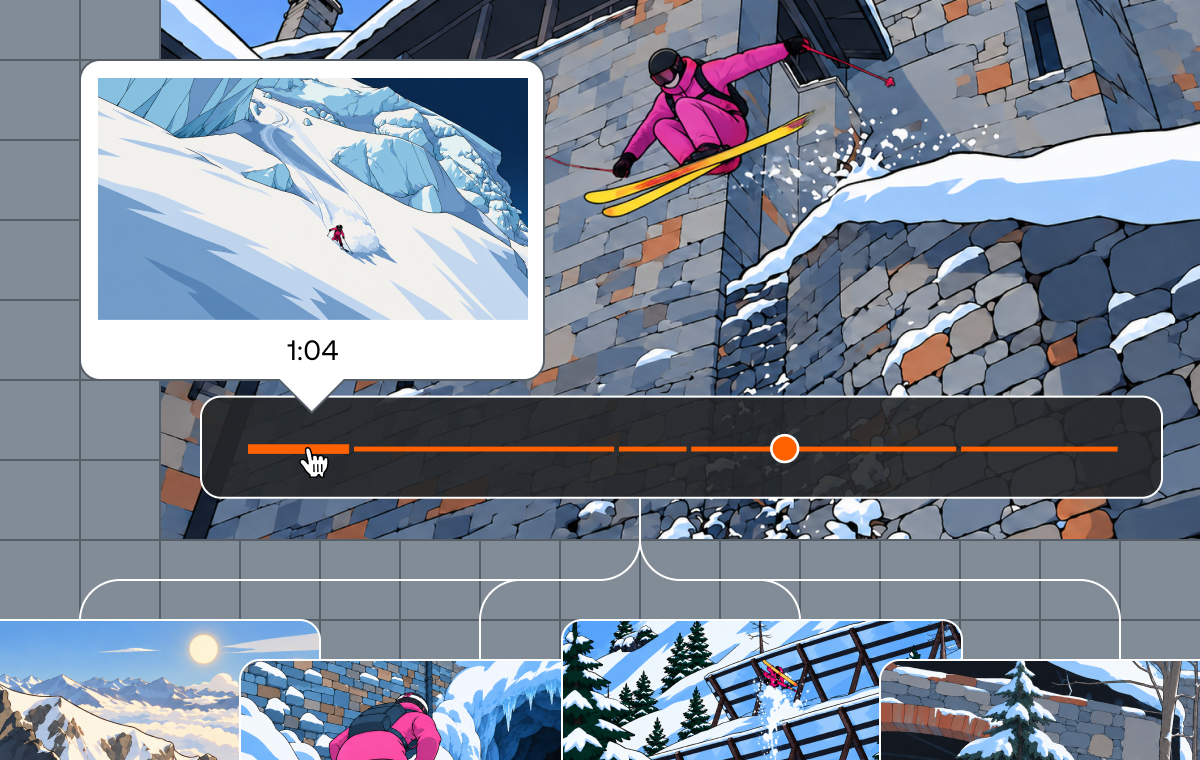
Today we're adding a new workflow to Mux Robots, Find Scenes, which turns a video from one opaque timeline into a structured map of what happens over time. It's powered by Shots, a new Mux Video primitive that gives agents a useful view of what's changing visually in a video.
What is Find Scenes?
Video has its own structure: scenes begin and end, visual context changes, topics shift, and meaningful moments emerge over time. Those boundaries are obvious when you watch a video, but they’re impossible for agents to use unless they’re turned into data.
Find Scenes does that work for you. It analyzes a video and returns scene boundaries: the parts of a video that belong together narratively or semantically. The output is a map of the video: timestamped ranges, each grounded by what actually happened visually and, when available, what was said.
Each scene includes a title and description, along with audible, visual, and blended narratives that help agents understand the moment from multiple angles: what was shown, what was said, and what those signals mean together.
{
  "scenes": [
    {
      "start_ms": 77009,
      "end_ms": 99309,
      "title": "Benefits Of Structured Video",
      "audible_narrative": "Structuring video into scenes improves search, clip discovery, navigation, and agent reasoning.",
      "visual_narrative": "The speaker explains the value of structured video while visual aids reinforce the shift from raw video to searchable context.",
      "blended_narrative": "The spoken explanation and supporting visuals work together to show how Find Scenes turns video into application-ready structure.",
      "notable_audible_concepts": [
        "search and navigation",
        "clip discovery",
        "structured video data"
      ],
      "notable_visual_concepts": [
        {
          "concept": "searchable video content",
          "score": 0.85,
          "rationale": "Highlights how structured scenes make video easier for applications and agents to use."
        }
      ],
      "shots": [
        {
          "start_ms": 77009,
          "end_ms": 78409,
          "visual_description": "Text appears on screen: \"WHILE WE DEDUCE AUDIBLE NARRATIVES\"."
        },
        {
          "start_ms": 79976,
          "end_ms": 82676,
          "visual_description": "Text explains that key information can be visual, such as when a product appears."
        },
        {
          "start_ms": 90443,
          "end_ms": 99309,
          "visual_description": "The speaker describes how search, navigation, and discovery become smarter with structured video."
        }
      ],
      "shot_count": 3
    }
  ]
}
After running Find Scenes, your system knows where the meaningful parts of a video are, what each part is about, and what evidence supports that understanding. Once you have that kind of structured knowledge about a video, the application logic you build on top of it, things like search, clip discovery, in-video navigation, and content browsing, becomes much more straightforward.
How to use Find Scenes
Find Scenes can be used in the Mux dashboard or through the API:
curl https://api.mux.com/robots/v0/jobs/find-scenes \
  -H "Content-Type: application/json" \
  -X POST \
  -d '{
    "parameters": {
      "asset_id": "YOUR_ASSET_ID",
      "language_code": "en"
    }
  }' \
  -u ${MUX_TOKEN_ID}:${MUX_TOKEN_SECRET}
While Find Scenes can get a lot of data from just visuals, adding a text track to your video will enable a richer output. Audio-only assets are not supported.
There are optional parameters you can apply to modify the workflow. This includes minimum number of scenes or scene duration, as well as details such as audience and brand terms that can help steer the output to be more in line with your content.
Learn more about how to use Find Scenes in our guide and API reference.
Find Scenes and Shots
Find Scenes uses Shots as an input for the workflow.
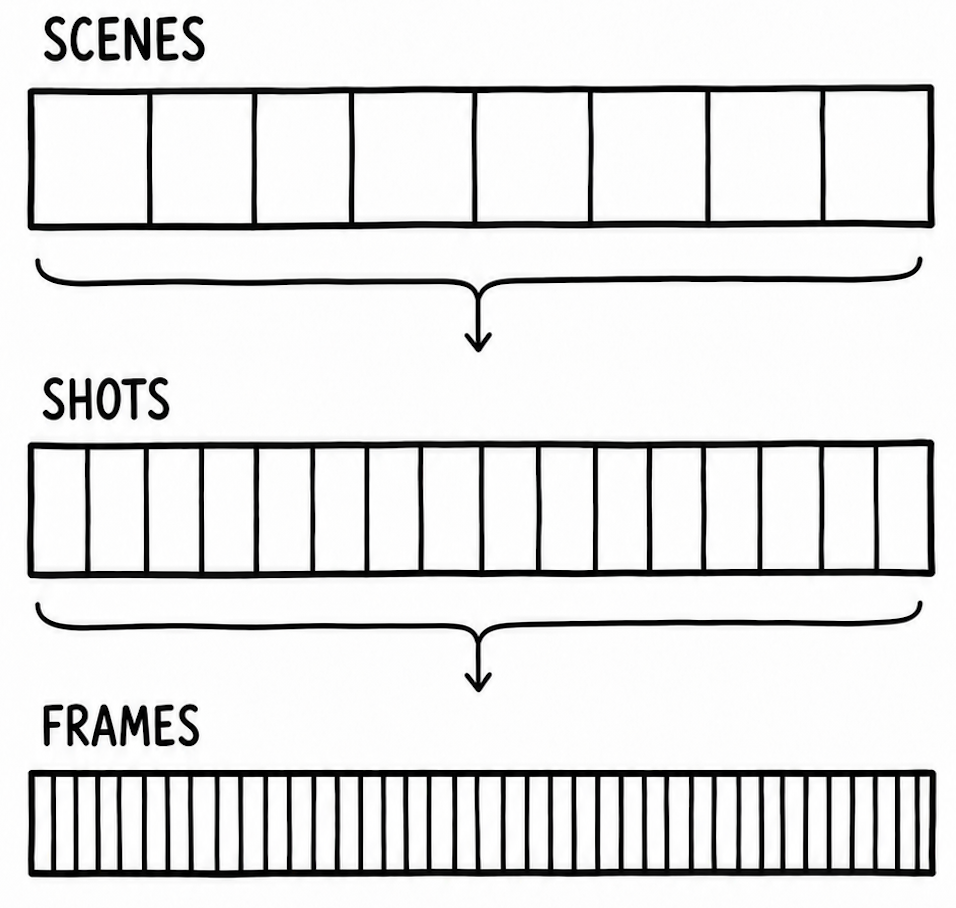
Shots are building blocks that detect simple visual boundaries in a video. Shots produces a manifest of the timestamps of the shot boundaries along with a preview image of that shot, which gives you temporal and spatial context: what changed visually, when it changed, and how those changes relate to each other. Grzegorz wrote a great post about how our video team built Shots. You can also learn more about Shots in our guide.
Find Scenes uses Shots as the foundational layer of visual boundaries in a video, grouping together scenes across different Shots. This gives the workflow a clearer structure than asking a model to reason over a full video on its own. The model gets organized, high-signal input instead of a wall of frames.
That structural understanding is what makes it possible to build reliable features like search and in-video navigation into your product.
Pricing and availability
Find Scenes is an experimental Mux Robots workflow, which means the API shape, parameters, behavior, and pricing may all change as we learn from real usage. If it does, we will let you know.
Find Scenes costs 1000 units / job + 400 units / min (or in dollars $0.0100 / job + $0.0040 / min).
Find Scenes is dependent on Shots as a resource and will incur a Mux Video charge of $0.001 / min for Shots. This is billed separately from your Mux Robots usage.
Usage credits, such as $20 / month PAYG credits, pre-paid, contract, or promotional credits are applicable to both Shots and Mux Robots costs.
Learn more in our pricing guide.
Start building
If you're building AI-native video products, the path looks like this: run Find Scenes to build semantic structure, keep the outputs so they can be reused, and then layer your product features over all of it. Learn how to get started in our guide.
Video shouldn't be a giant blob you pass to a model and hope for the best. It should be structured context that machines can actually reason about.
Find Scenes and Shots are a step in that direction: video that your system understands, not just processes.
Get started with Find Scenes in the API or dashboard today.