Updated 9/17/2026: All these workflows have been promoted out of "experimental" with stable API shape and pricing.
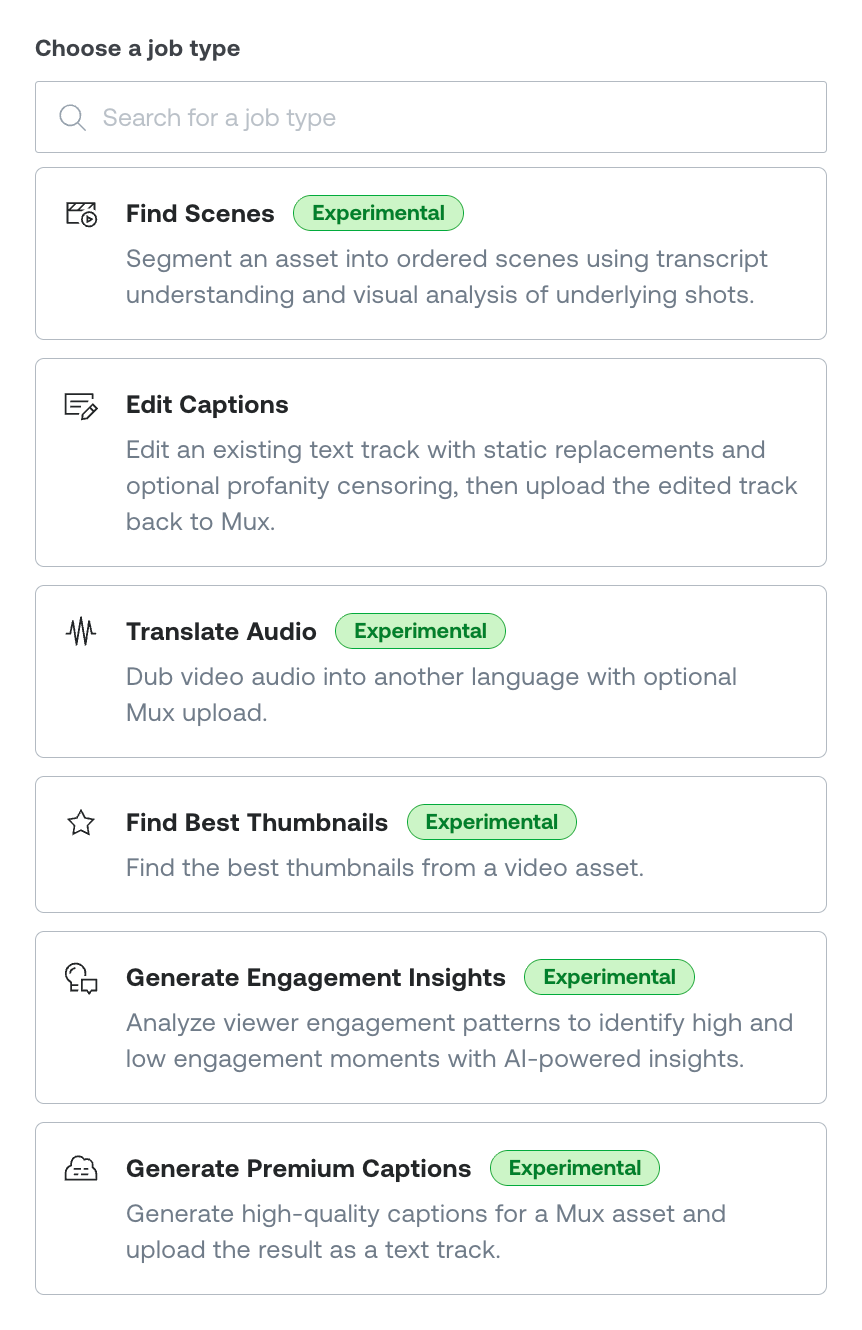
Six new Mux Robots workflows are here. This newest batch generates higher-quality captions, dubs audio into other languages, picks thumbnails, and analyzes your video content and engagement data to convert it into plain-language insight. They’re built with the same shape as before: one API call (or one click in the dashboard), structured JSON out.
Here's what's new.
Premium captions
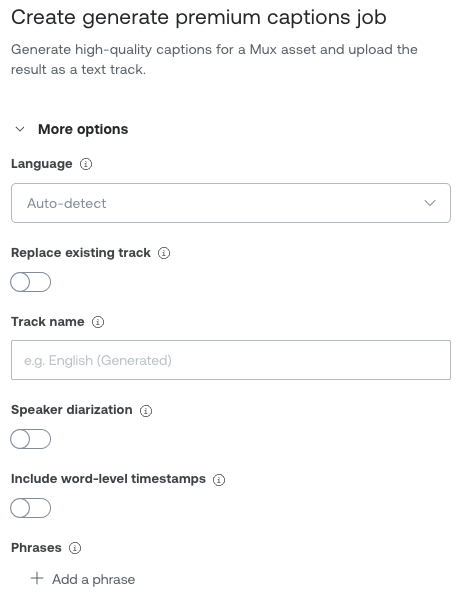
Generate Premium Captions produces speech-to-text captions using premium, high-accuracy speech models. Our existing auto-generated captions in Mux Video are still there for you to use for free. This workflow trades the zero cost for higher accuracy and more knobs to turn.
It auto-detects the spoken language, and you can turn on speaker identification (diarization) (include_speakers) and word-level timestamps (include_words). If you have proper nouns, product names, or specialized jargon, pass them as phrases to help the model recognize them.
By default the generated track is uploaded straight back to your Mux asset. As always, you can download the .txt and .vtt files for these tracks. You can also get a downloadable SRT, and word-level JSON when you ask for it. See the Generate Premium Captions guide for the full set of parameters.
{
  "parameters": {
    "asset_id": "mux_asset_123abc",
    "include_speakers": true,
    "include_words": true,
    "phrases": ["Mux", "Robots"]
  }
}
Engagement insights
Generate Engagement Insights reads the hotspots and heatmap engagement data Mux Data already collects for an asset and turns it into something you can act on: the specific moments where viewers lean in, scored and explained, plus an overall summary and trends across the video.
Since this workflow uses Mux Data metrics to give you insights, the asset must be passing on view data so this workflow will work properly. With Mux Player this happens automatically with no extra setup. If you're using a different player, add a Mux Data SDK or custom integration so views are tracked.
For the best output, assets must have a good number of views, which means newer content or assets with no views won't have enough data to analyze. See the Generate Engagement Insights guide.
{
  "parameters": {
    "asset_id": "mux_asset_123abc"
  }
}
The finished job returns the moments it found, plus an overall read:
{
  "asset_id": "...",
  "moment_insights": [
    {
      "start_ms": 30000,
      "end_ms": 60000,
      "engagement_score": 0.89,
      "insight": "Viewers are highly engaged during the product demo, with minimal drop-off."
    }
  ],
  "overall_insight": {
    "summary": "Engagement peaks during hands-on demonstrations and drops during the intro.",
    "trends": [
      "Product demos drive the highest retention",
      "Viewers skip past the first 15 seconds of intro"
    ]
  }
}Audio translation
Translate Audio dubs the audio track of an asset into another language. Give it an asset_id and a to_language_code, and by default it uploads the translated track back to your Mux asset as a new audio track. You also get a temporary URL to download the dubbed audio directly. Source language and speaker count are detected automatically. See the Translate audio guide.
{
  "parameters": {
    "asset_id": "mux_asset_123abc",
    "to_language_code": "es"
  }
}Best thumbnails
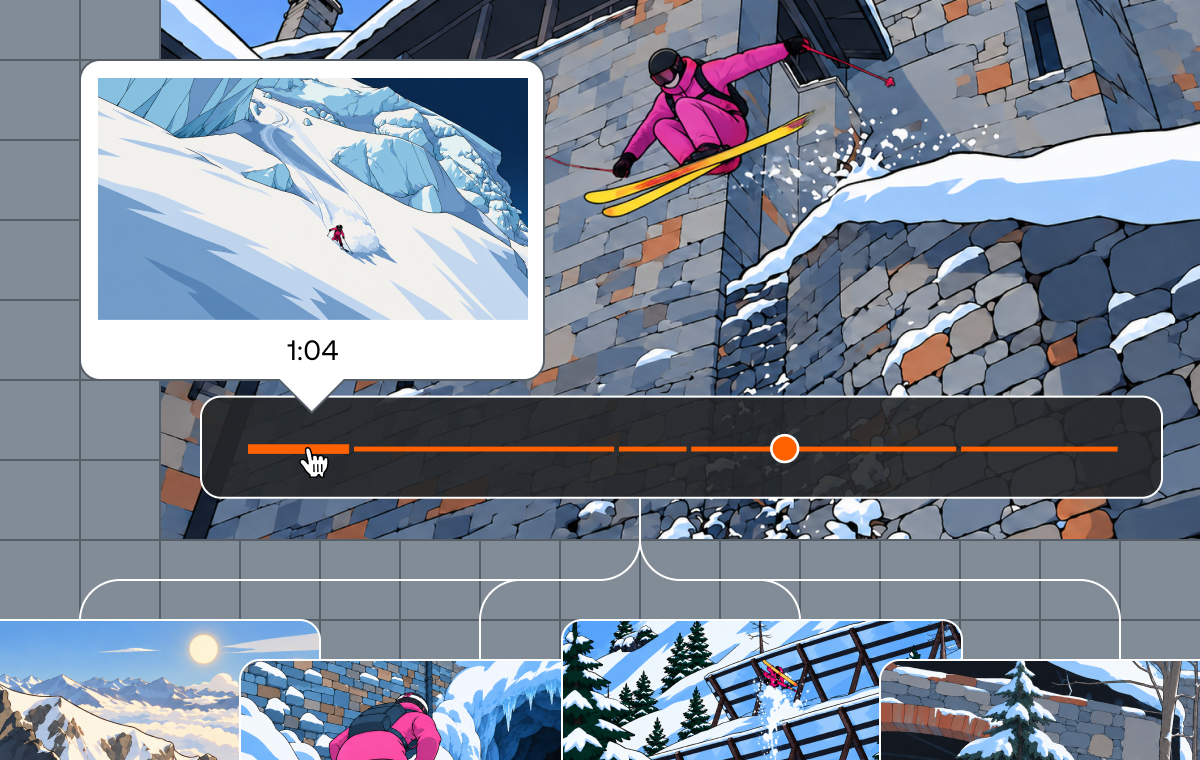
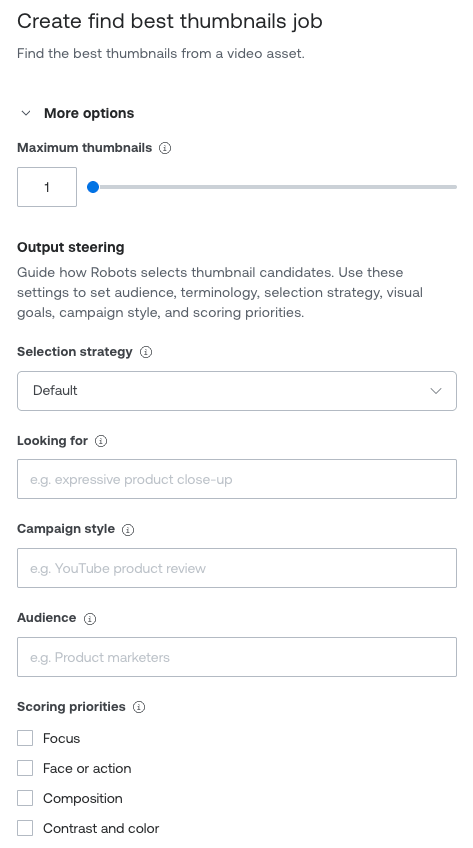
Find Best Thumbnails samples frames across your video, scores each one with a vision model on focus, faces or action, composition, contrast and color, and how well the thumbnail fits into relevant branding, then returns the top candidates with timestamps and a short description of each. Ask for up to five.
Inform the selection with a selection_strategy (for example face_or_action or campaign_thumbnail), an audience, or what you're looking_for in plain language. See the Find best thumbnails guide.
{
  "parameters": {
    "asset_id": "mux_asset_123abc",
    "max_thumbnails": 5,
    "output_steering": { "selection_strategy": "campaign_thumbnail" }
  }
}
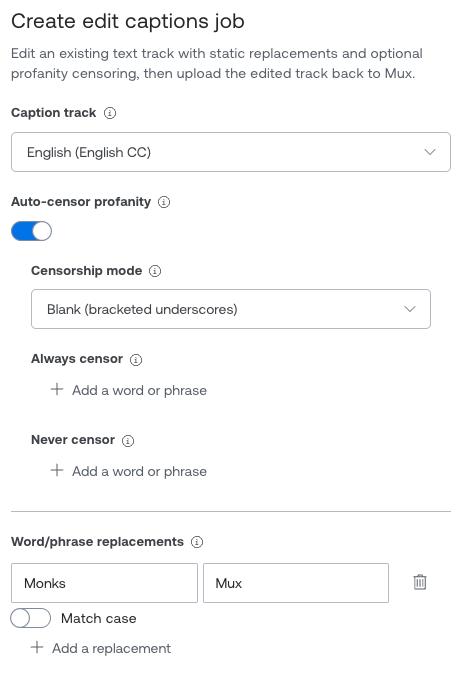
Editing captions
Edit Captions edits an existing caption track in two ways, and you can use either or both in one job.
The first is deterministic find/replace over the cue text: fix a recurring typo, swap in the correct spelling of a brand term, normalize a name. The second is LLM-assisted profanity censoring (auto_censor_profanity), where you choose how matches are handled: blank them out, drop them, or mask the characters, with always_censor and never_censor lists when you need to be exact. See the Edit a video's captions guide for details.
{
  "parameters": {
    "asset_id": "mux_asset_123abc",
    "track_id": "track_en_abc123",
    "replacements": [
      { "find": "Mux's", "replace": "Mux", "case_sensitive": false }
    ],
    "auto_censor_profanity": { "mode": "blank" }
  }
}
Scenes
Find Scenes segments a video into ordered narrative scenes, with titles, transcript cues, visual and audible narratives, and a shot-level breakdown for each scene.
Read more details about Find Scenes in Victor's blog and our guide. Find Scenes is still experimental, but you can now use it without reaching out to Support.
Running workflows
Every workflow uses the same job pattern as the rest of Mux Robots: POST to start a job, then fetch the webhook as it completes (or poll the job URL if you'd rather). All of these workflows are also available through the Mux dashboard. And use Directives to automate your workflows.
See our guides on using the Mux Robots API across all available workflows.
Pricing and availability
Like the rest of Mux Robots, these workflows are billed in units, generally based on the duration of the asset and the complexity of the workflow, and you can track usage per job in the dashboard. Per-workflow rates are on the pricing guide.
You can start using Edit Captions and Find Scenes (experimental) today in the Mux dashboard or via API.
Generate Premium Captions, Translate Audio, Find Best Thumbnails, and Generate Engagement Insights are available now via dashboard or API. These workflows are experimental which means API shape and pricing may still change.
Give them a try, then tell us what breaks, what works, and what you want us to build next.