

Updated 7/28/26: Directives are now available via API and Mux dashboard. Learn more
When we launched Mux Robots a few weeks ago, we called out that there was a piece of the puzzle missing. While it is quick and intuitive to run one-off AI workflows like summarizing, moderating, translating captions, and asking questions, it's a much higher lift to run those workflows automatically or at scale. It can take too much custom plumbing to handle asset webhooks and involves too much self hosted glue code.
Today we're shipping the next puzzle piece. We’re augmenting workflows with Directives, the orchestration layer for Mux Robots.
What is a Directive?
A Directive is a stored configuration that binds a set of Mux Robots workflows to the lifecycle of a video asset. You build it once, attach it to assets, and the automation takes it from there.
Directives let you answer two questions:
- What workflows do I need? Choose the workflow or set of workflows you want to run on every asset this Directive applies to.
- What dependencies are needed for these workflows? Define what to do during a workflow run if a resource isn't available.
For example, if a workflow needs captions to run properly, do you want the Directive to wait for a caption track to be uploaded or generate it via Mux Video? Required and recommended dependencies are automatically populated in the dashboard with sensible defaults, so you don’t have to worry about missing an important prerequisite, you just choose how your Directive should handle each dependency.
Directives aren’t a full scripting environment or a replacement for the Mux Robots Jobs API. They ensure that your desired workflows get executed on assets and handle the complexity of automation without extra infrastructure for you to wrangle.
Building a Directive
Today, Directives live in the Mux Dashboard. To access and build them, navigate to Robots → Directives. Here are some examples of what you can build with Directives:
Summarize every asset. In the dashboard, you create a Directive named "Summarize every asset" with a single workflow card (summarize). No resources required. That's the whole configuration.
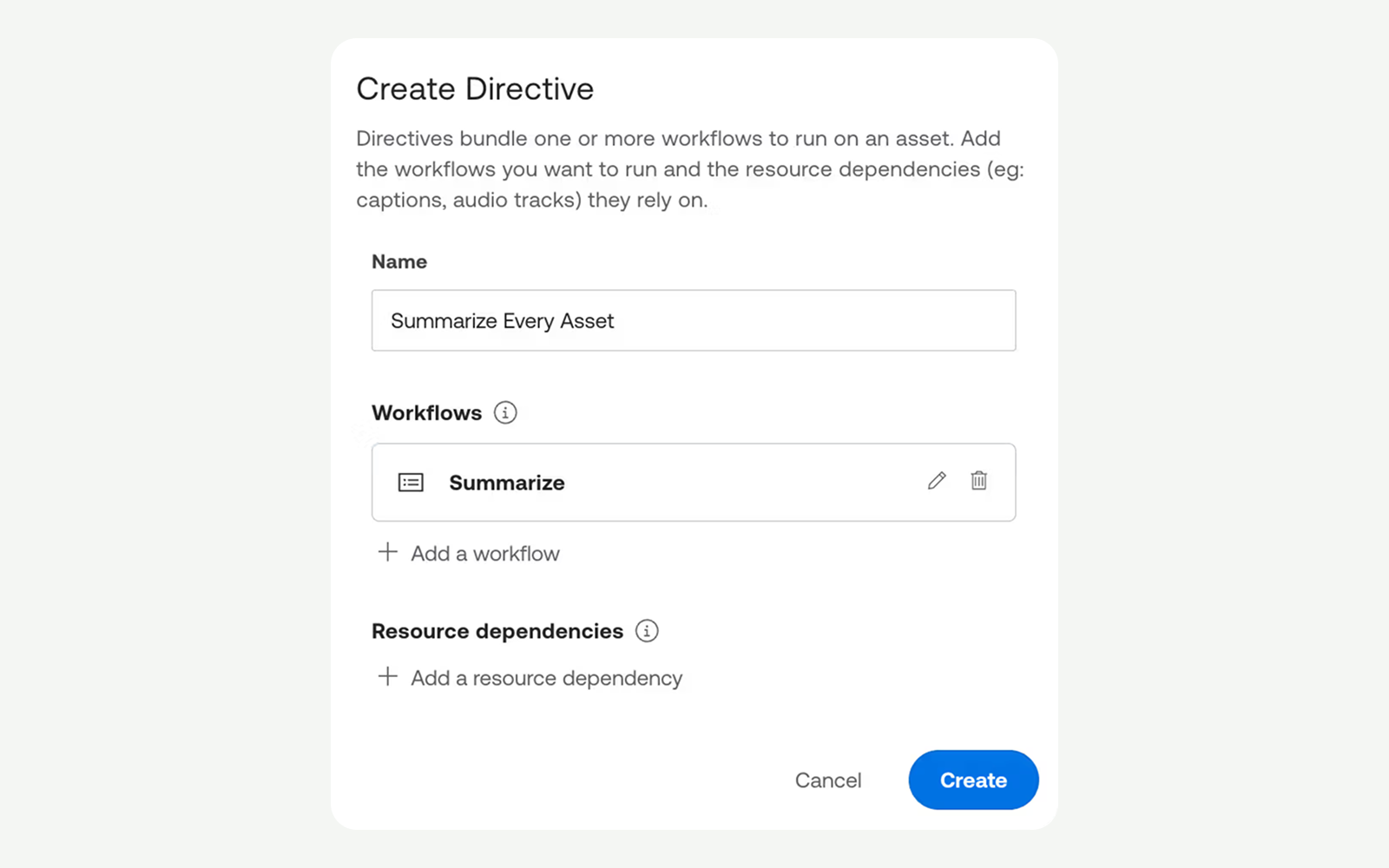
When configuring a new asset, you can set it to use the Directive during creation of an asset. As soon as the new asset is ready, it is automatically summarized. One workflow, one directive.
Translate Captions & Generate Chapters. This Directive has three components: A translate captions workflow with a caption track resource dependency and a generate chapters workflow.
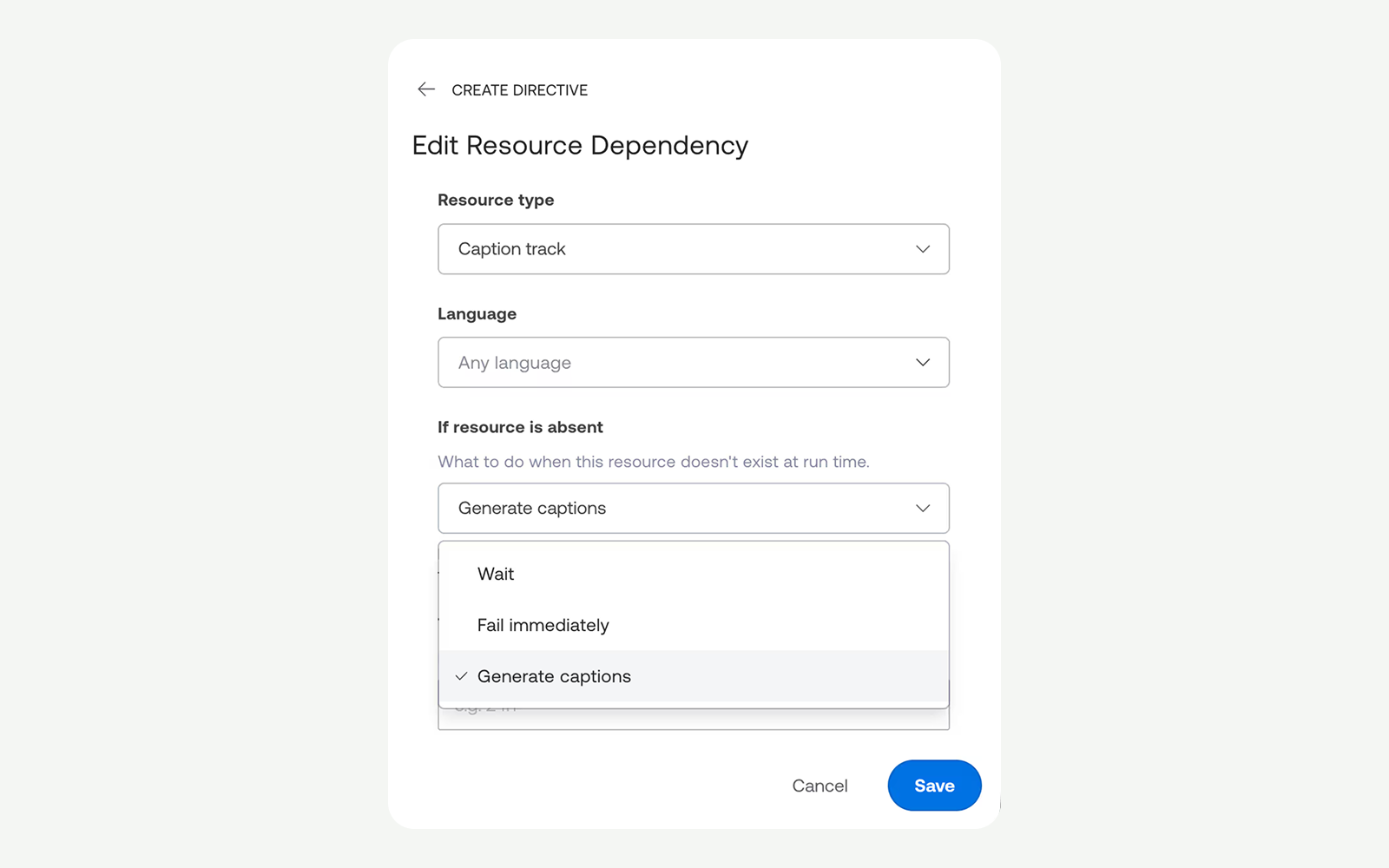
The Translate Captions workflow knows it requires a caption track, so it automatically adds the dependency for you. It then reads from the captions resource, creating it if it doesn’t exist, and generates the translated Spanish captions track and attaches it right back to your Mux asset, making it available within seconds for delivery to the player.
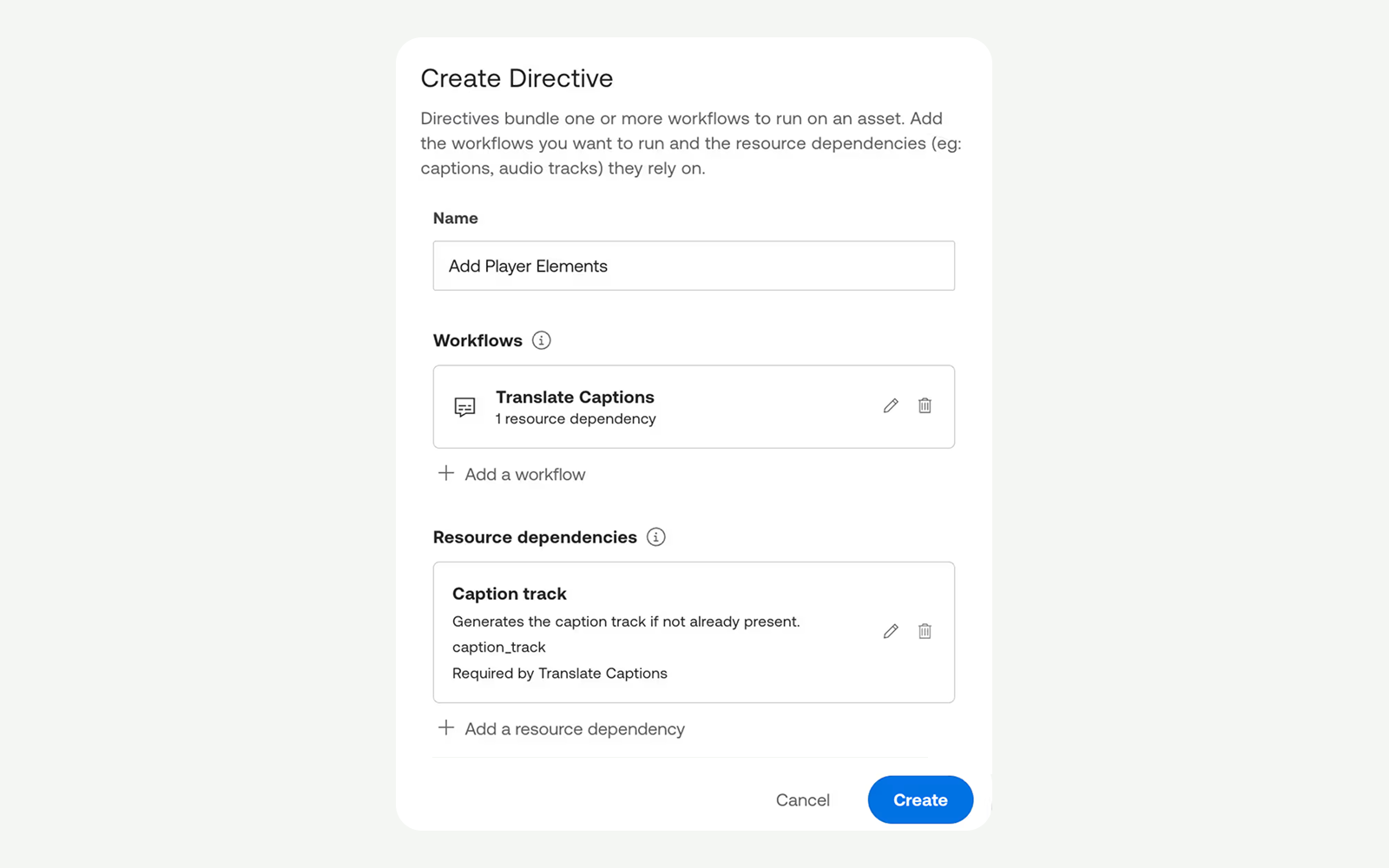
You can adjust the policy options based on your preferences if the captions don’t exist. The Directive can wait for the user to upload captions, fail immediately, or trigger Mux Video to generate the initial captions track for you.
You can then add another workflow, Generate Chapters, which also has the same resource dependency on captions. It automatically assigns the same resource dependency to the workflow.
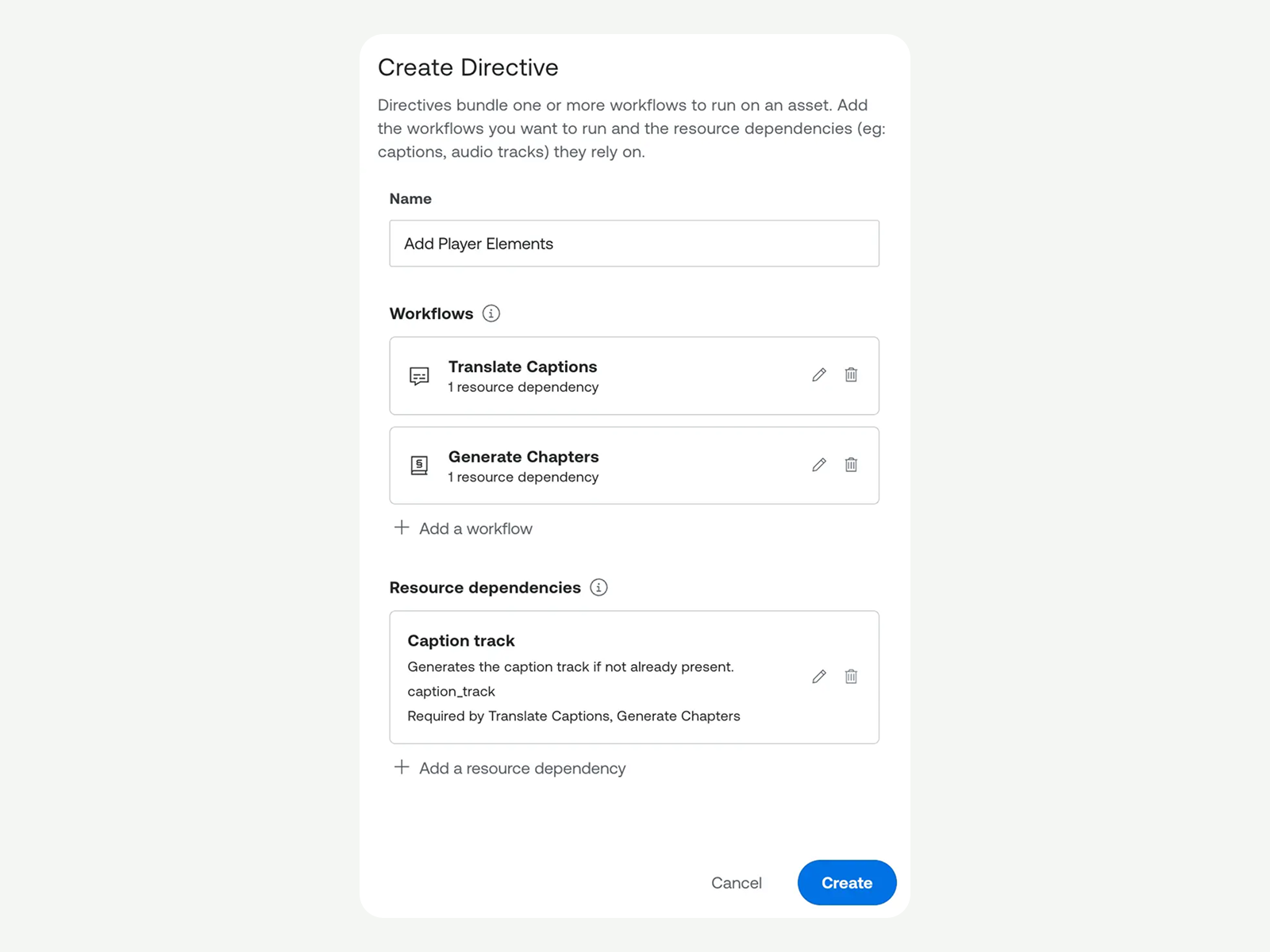
When this directive is triggered on asset creation, a Spanish caption track and chapter markers are generated automatically.
That's how simple it is to build a Directive: name the workflows you want, declare the resources they depend on, and set the policies for what should happen if something is missing or pending.
Run Directives on your videos
Directives are attached to new assets through upload in the Mux dashboard or through the API.
In the dashboard, when creating a new asset you can select one of your Directives in the settings section.

For programmatic ingestion using the API, include a directives field on the Video Create Asset call, using the corresponding ID(s) from the Directive in the dashboard:
POST /video/v1/assets
{
  "input": "<https://example.com/video.mp4>",
  "playback_policies" : [ "public" ],
  "directives": [{ "id": "drv_01HXYZ..." }]
}
For existing assets, trigger an ad-hoc run via the dashboard to apply a Directive to a specific asset for testing, debugging, or one-off backfill.
What's next for Mux Robots
We already have several enhancements on the roadmap for Directives:
- Environment-level auto-attach. Instead of attaching a Directive to each asset, you'll be able to configure your environment with a list of Directives and event-match filters that decide which Directives will be automatically assigned to which assets. For example: auto summarizing every asset.
- A public Directives configuration API. The technical preview ships dashboard-only for creating and editing Directives.
- Directives & Workflows for live streams. Today Directives apply to on-demand assets; live streams will get their own subject type in a future release.
We also have a handful of new Mux Robots workflows on the horizon:
- Edit Captions. Set rules to add profanity filtering and replacements for frequently mis-captioned words.
- Find Scenes. Segment an asset into ordered scenes with contextual information about each one.
- Generate Engagement Insights. Analyze viewer engagement patterns to see high and low engagement moments.
- Find Best Thumbnails. Get the timestamps of the best thumbnails to use from your asset.
Get started and give us your feedback
Jump into the Mux dashboard, head to Robots → Directives and give it a try.
There's no extra cost to use Directives with Mux Robots. It consumes the same amount of units as creating a Mux Robots workflow individually. Learn more about Mux Robots pricing.
As we continue to refine the schema for Directives, we want to hear from you. Specifically, do you have feedback on resource policies and deletion semantics? And of course, we always want to hear if something breaks or is working well. Share your feedback in the dashboard or reach out. Mux Robots only gets better the more real-world workloads it sees.