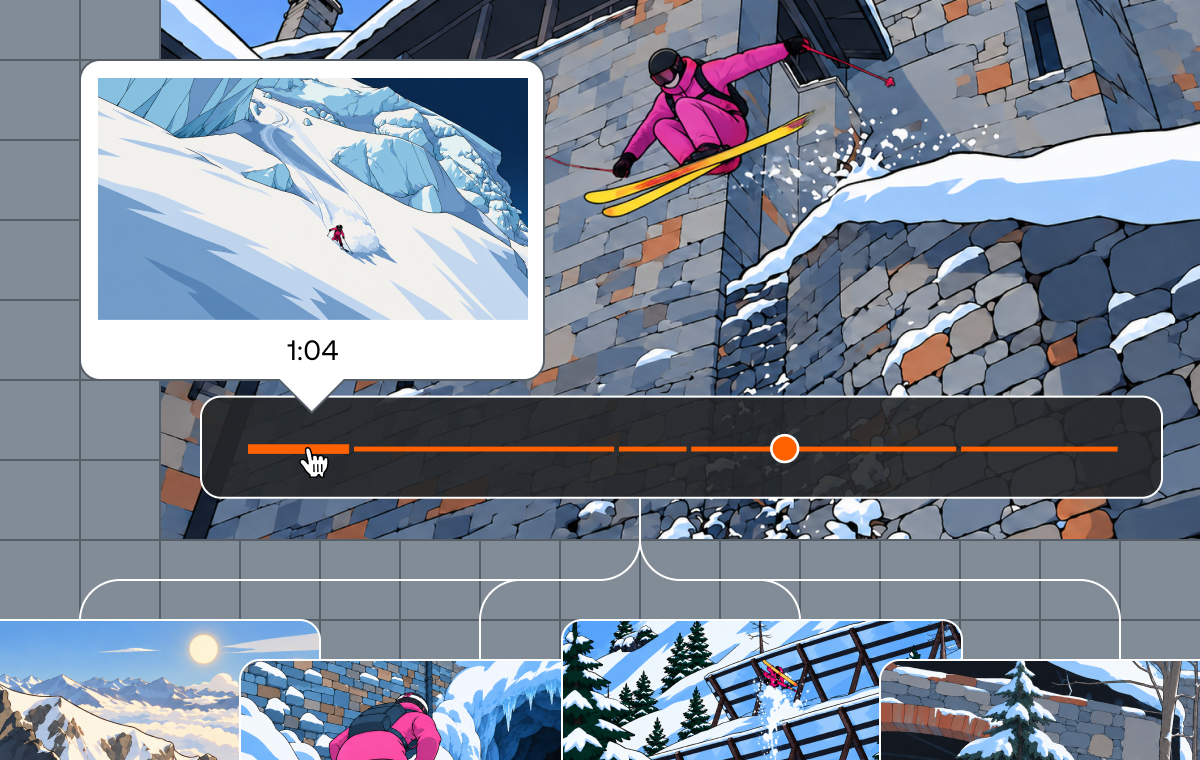
Shots is a new Mux Video primitive that generates a manifest of shot boundaries and representative shot images for any assets. It's the foundation for a brand new Mux Robots workflow, Find Scenes. Read Victor's post about how the Mux Robots team used Shots to detect scenes.
In this post, we'll go into more detail on the algorithm behind Shots.
The goal
The algorithm must detect the boundaries of each shot. It should be a simple, one-pass algorithm that uses a limited amount of resources. We can’t always avoid invalid results, but we tolerate false positives more than false negatives.
Basic metrics
In order to detect shots within a video, we need to analyze pixel changes between each frame. FFmpeg exposes three basic metrics to help us calculate the differences between them. Let’s start with the definitions of basic metrics that FFmpeg exposes natively:
Sum of absolute differences
High difference in luminance means there was a visible change in two consecutive frames. That is a good indicator for possible shot change.
Mean Average Frame Difference:
Shot change score (MAFD with values normalized to 0-100):
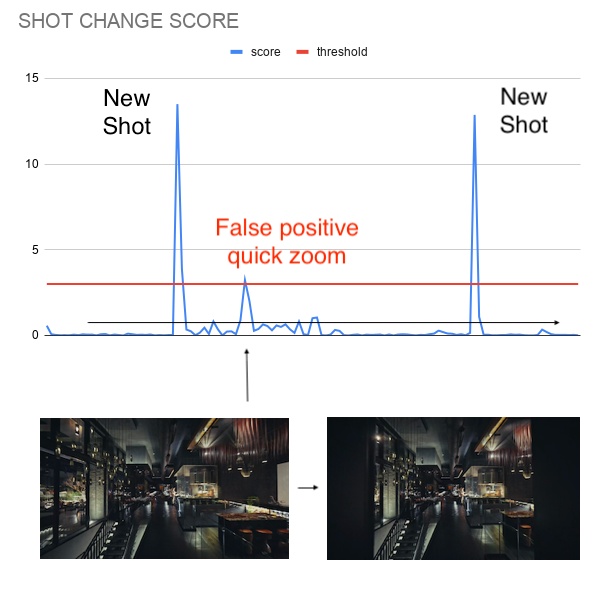
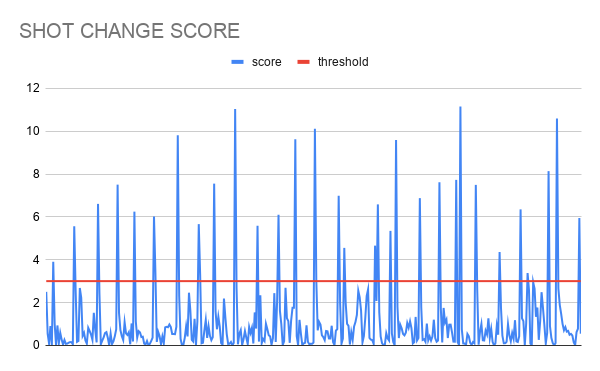
First approach: Set a threshold for score
Setting a threshold for score is the most straightforward approach and actually the one that FFmpeg uses. The problems begin once we try to find the threshold value. There is no value that would work for every case. It should be higher for dynamic shots without cuts. On the other hand we need a lower value when a new shot starts, but it is quite similar to the previous one.
Choosing different thresholds for different videos would require much more complex analysis, so that is not an option for a single-pass algorithm.
Assuming we prefer false positives, the threshold would be low. Low threshold means more frames flagged as shot changes. The result is almost no false negatives, but there are way too many false positives.
Second approach: Search for peaks
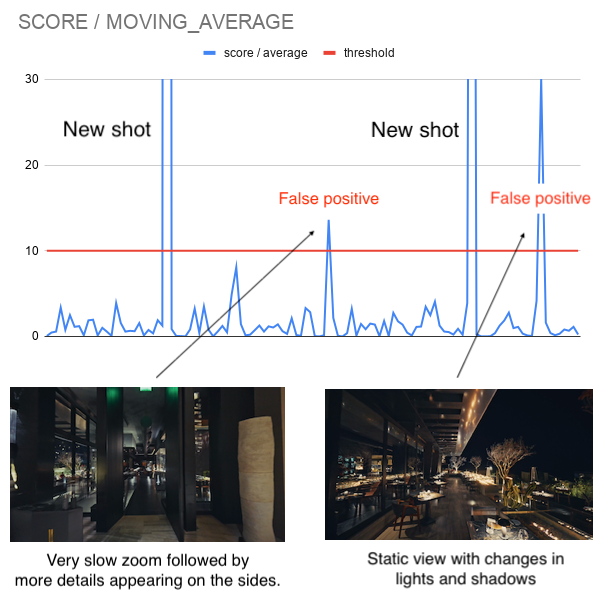
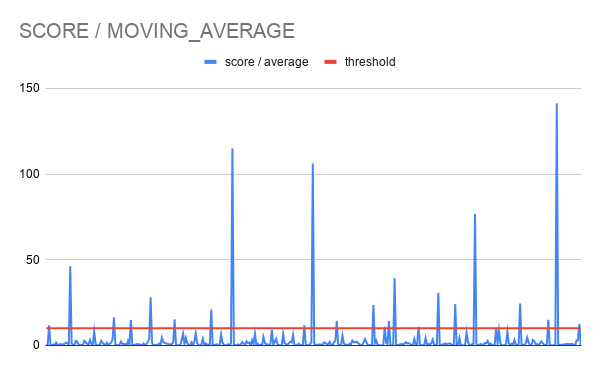
Another approach would be to search for short peaks in shot change score. We set a threshold for a ratio of current score to moving average for three previous frames. This eliminated the threshold sensitivity problem from the first approach. Still, there was one problematic case. When a scene is static for an extended period, the moving average of scores approaches zero. Any subsequent small change produces a disproportionately large ratio, causing false positives.
Solution
Both previous approaches created way too many false positives, but those false positives were not overlapping. Each algorithm detected them in different places.
The best solution was to combine both approaches. The final algorithm assumes that shot change happens when BOTH algorithms detect a shot change. The precise definition of shot change is:
This approach gives very good results and is resource-efficient. It works in one pass, using only the last three values.
Example

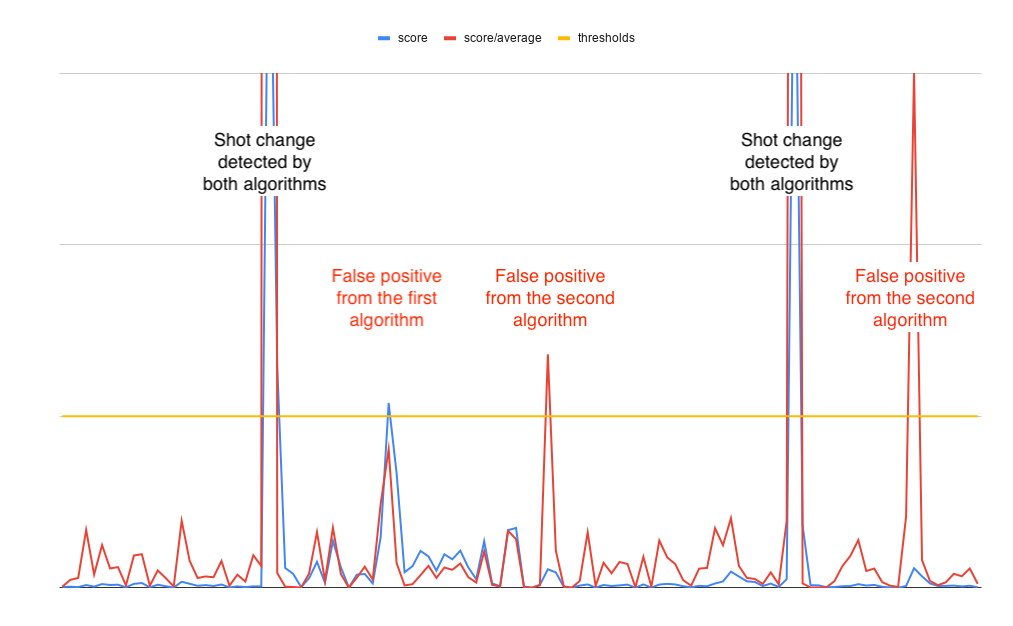
There are three shots in this video. That means exactly two shot changes should be detected.
First approach gives one more false positive in the middle.
Second approach gives two false positives, but in different places
After combining both approaches we get exactly two shot boundaries.
Known failure cases
This algorithm works well. Still, there are some videos where it fails. There is one known case that creates false negatives - smooth transitions.
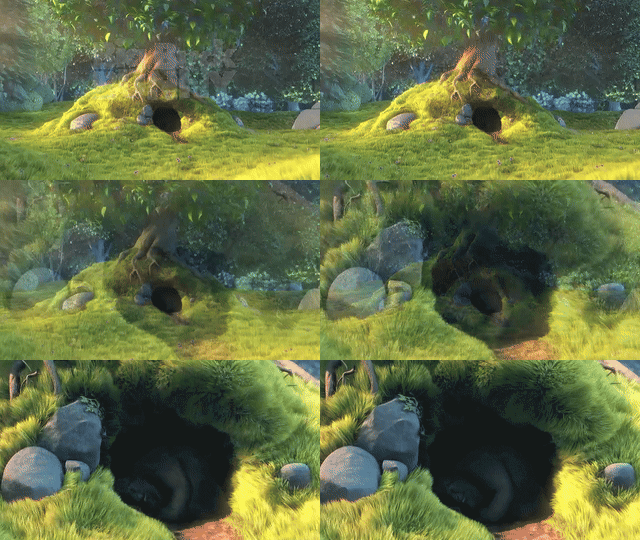
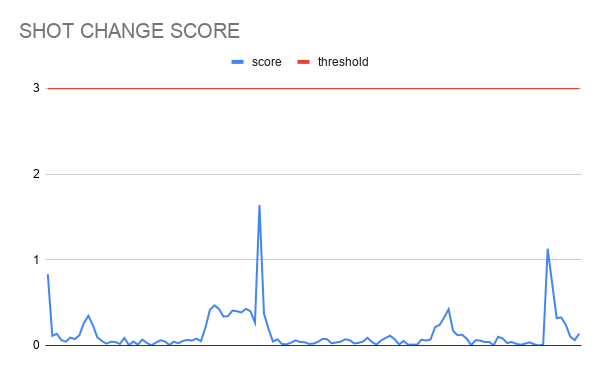
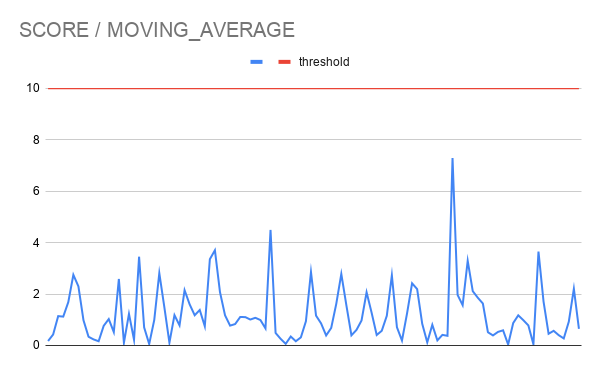
The score changes are gradual and never spike above threshold. There is no simple algorithmic solution for this case. It would require at least a basic understanding of the content of each shot to distinguish a smooth transition from a true shot change.
The most problematic case with the algorithm returning a false positive is a video with flashing lights. The best example may be a video made with a phone camera at a concert. There is one long shot, but this algorithm will detect a shot change during each flash.

There are some more interesting cases like a slideshow covering only part of the screen or a sharp change in zoom. These are edge cases that fall outside the algorithm's scope by design.
Learn more about how to use Shots in our guide.