Mux Robots generates context for your content: the frames that make the best thumbnails, the logical sections that become chapters, and more. Until now, most of that context stopped at the job output. Getting it back onto your video and in front of your viewers was up to you.
Thinking across products, we found some great opportunities to close that loop with a round trip. Robots runs an AI workflow on your video, writes the results back to the Mux Video asset, and viewers see them in players like Video.js v10 without any additional development. Captions already worked this way, and now more workflows do too. Find best thumbnails sets an asset’s default thumbnail, and Generate chapters and Analyze structure add chapters to the asset.
These workflows build on new Mux Video functionality, so you can also set default thumbnails through the API or dashboard, and add chapters through the API, with or without Robots.
Thumbnails help viewers discover their next destination
Thumbnails are often the visual front door to help grab the attention of viewers. Picking a dynamic and representative default helps inform and engage the audience. Previously, Mux Video would automatically use a frame at the midpoint as a default thumbnail. This was the thumbnail returned by the image API when no time parameter was supplied and nothing guarantees that this is an ideal thumbnail. You can also specify a time value with the image API to retrieve a specific thumbnail.
The Mux Robots Find best thumbnails workflow samples frames throughout your video to nominate thumbnails by using a vision model that weights focus, faces, action, composition, color, contrast, and steering that you get to control. The model combines all these qualities to automatically select a thumbnail that is visually interesting and appropriately representative.
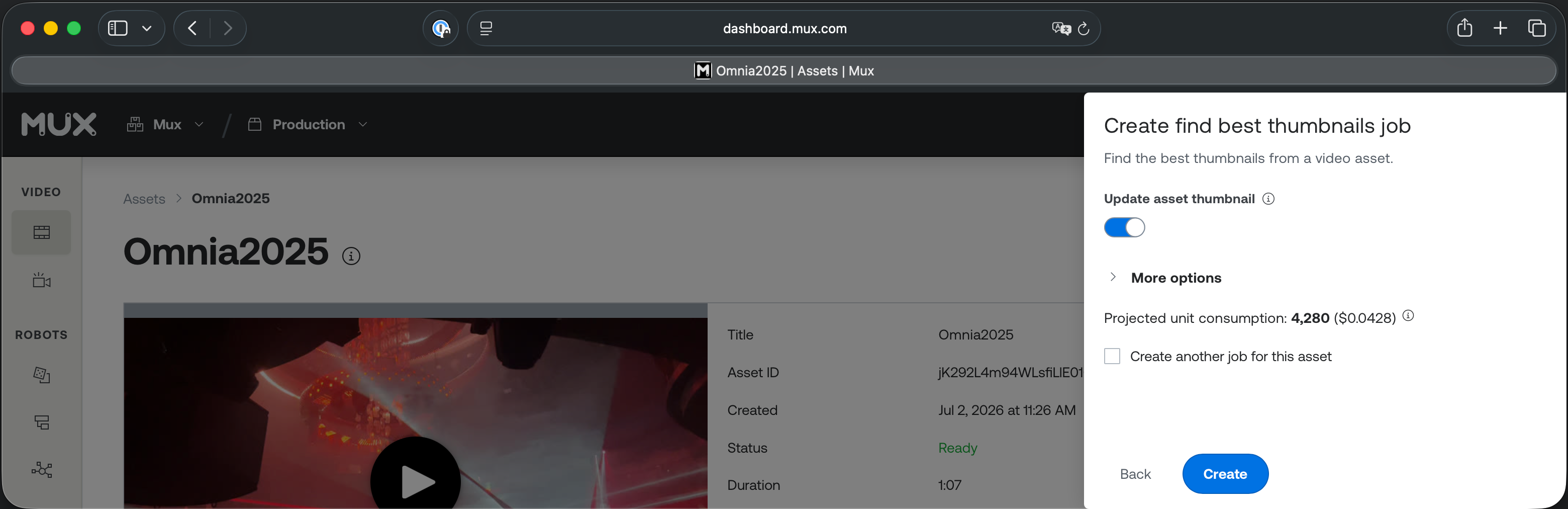
Set update_asset_thumbnail to true via the Robots API or dashboard and it will populate the asset's thumbnail_timein Mux Video. You'll see these updates reflected on the asset details page in the Mux dashboard.
You can also set the thumbnail_time parameter for an asset directly with the video API or interactively within the dashboard without running a Mux Robots job.
curl https://api.mux.com/video/v1/assets/${ASSET_ID} \
  -H "Content-Type: application/json" \
  -X PATCH \
  -d '{
    "thumbnail_time": 12.67
  }' \
  -u ${MUX_TOKEN_ID}:${MUX_TOKEN_SECRET}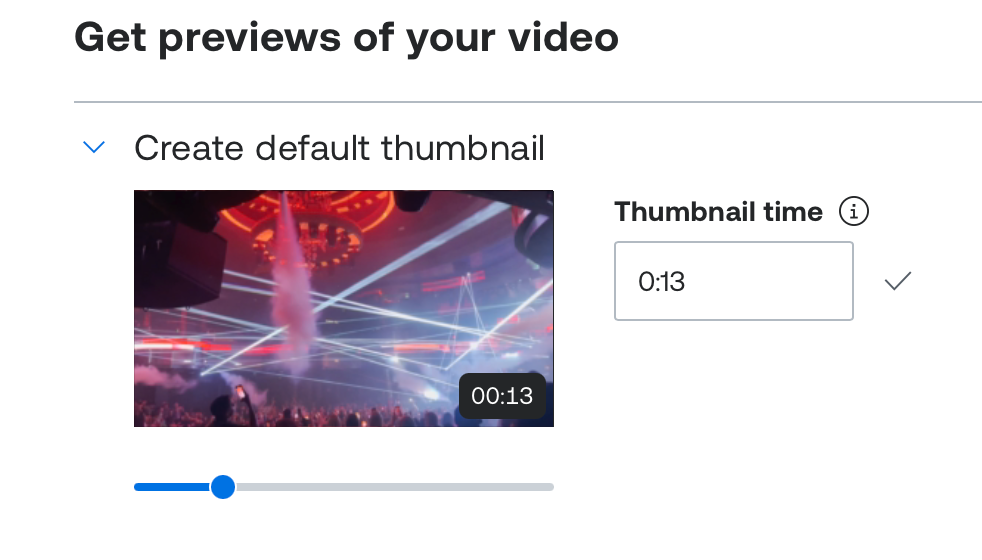
Chapters mark the journey
Chapters not only improve visibility into the content, proportions, and sequence in videos but they also make longer-form content more consumable and make it easy for viewers to navigate to just the right moment.
Mux Video now supports directly associating chapter metadata with your assets. The chapters are stored with the asset in the standard HLS JSON format.
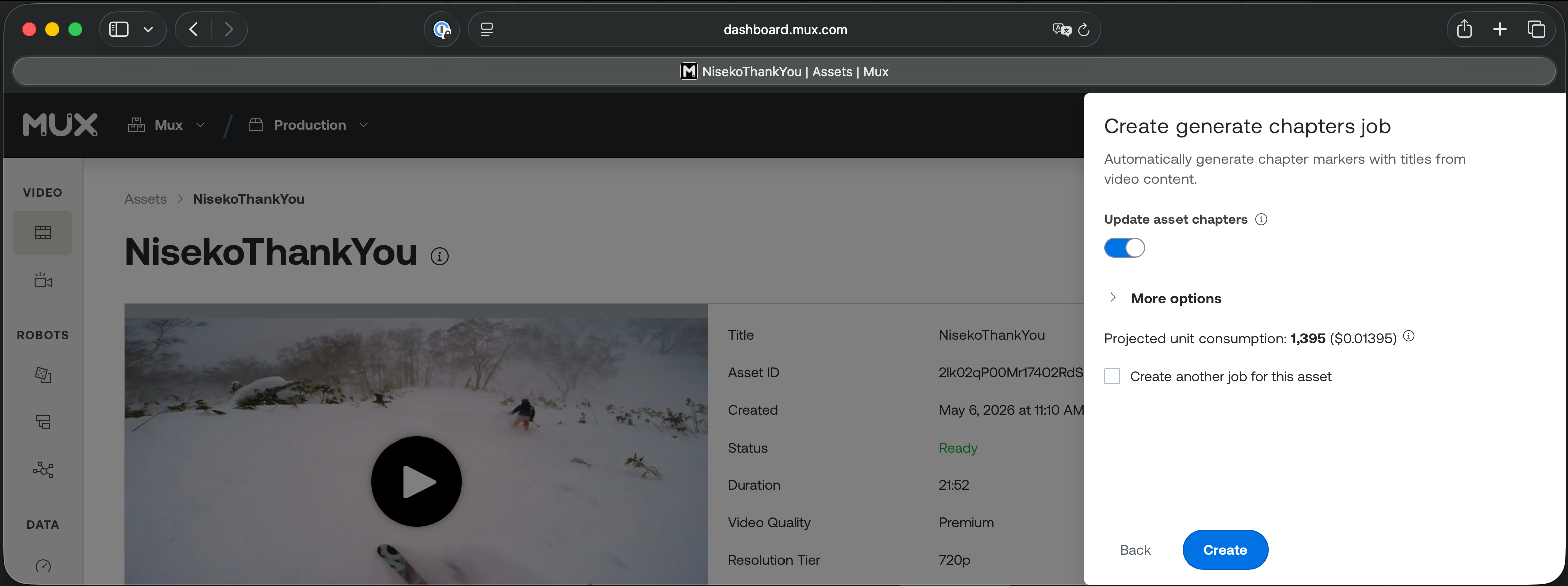
You can use Mux Robots the Generate chapters or Analyze structure workflows to find logical sections in your content to divide videos into easily explored and navigable chapters. They can update an asset when update_asset_chapters is set to true and adds this chapter information as a track that is accessible in the HLS JSON format.
[
	{
		"chapter":1,
		"start-time":0,
		"titles":[{"language":"en","title":"Instrumental Opening"}]
	},
	{
		"chapter":2,
		"start-time":27,
		"titles":[{"language":"en","title":"Opening Travel Montage"}]
	},
	{
		"chapter":3,
		"start-time":119,
		"titles":[{"language":"en","title":"Skiing in Niseko"}]
	},
	{
		"chapter":4,
		"start-time":435,
		"titles":[{"language":"en","title":"Tourism in Tokyo"}]
	},
	{
		"chapter":5,
		"start-time":518,
		"titles":[{"language":"en","title":"Conclusion"}]
	}
]
As with thumbnails, you can also add chapters directly with the API by providing this HLS formatted JSON.
curl https://api.mux.com/video/v1/assets/${ASSET_ID}/tracks \
  -X POST \
  -d '{
    "url": "https://example.com/my-video-chapters.json",
    "type": "text",
    "text_type": "chapters",
    "language_code": "en",
    "name": "English"
  }' \
  -H "Content-Type: application/json" \
  -u ${MUX_TOKEN_ID}:${MUX_TOKEN_SECRET}
One important note, an asset holds a single chapters track, so if you were to run a Robots job to generate and loop chapters back into Mux Video, any chapters track already on the asset will be deleted and replaced.
HLS players like Video.js support JSON chapters without any additional development. The Video.js v10 player timeline visually shows how the content is divided into segments of varying lengths. The storyboard images that display when you mouse over the segmented timeline have the chapter title text overlaid on them along with the timestamp for that storyboard image preview.

Directives can put these round trips on autopilot
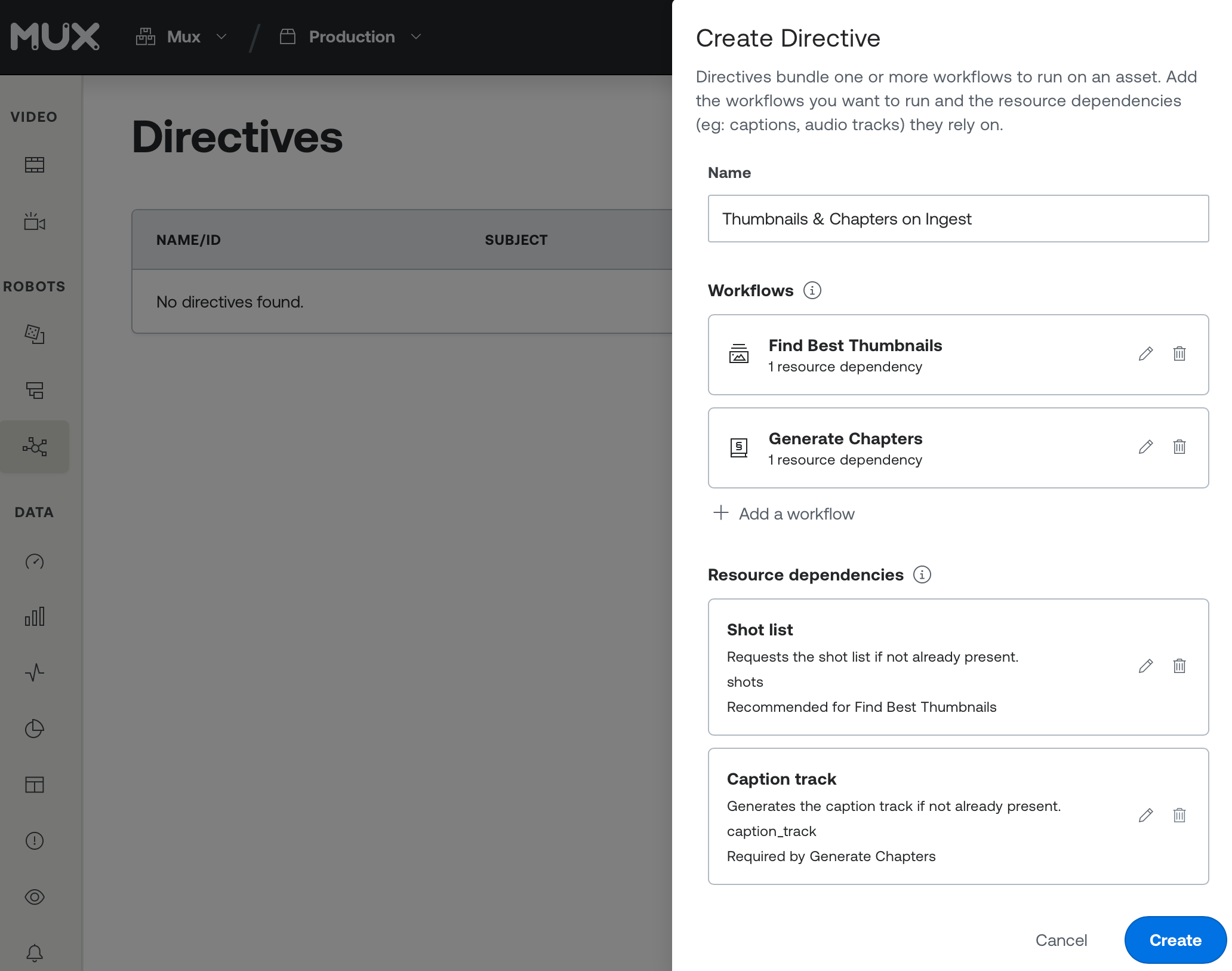
These workflows help make content discoverable and digestible so creators and audiences find each other. Once you have a set of workflows you are happy with for new assets you can utilize Mux Robots Directives to generate prerequisite resources automate and run multiple workflows on asset upload, so that all new assets get thumbnails and chapters automatically.
Book your round trip
These round trips are available now. Try the Find best thumbnails, Generate chapters, and Analyze structure workflows on an asset in the dashboard, then see the results in Video.js v10. Once you’re happy with the output, set up Directives to run them on every new asset.