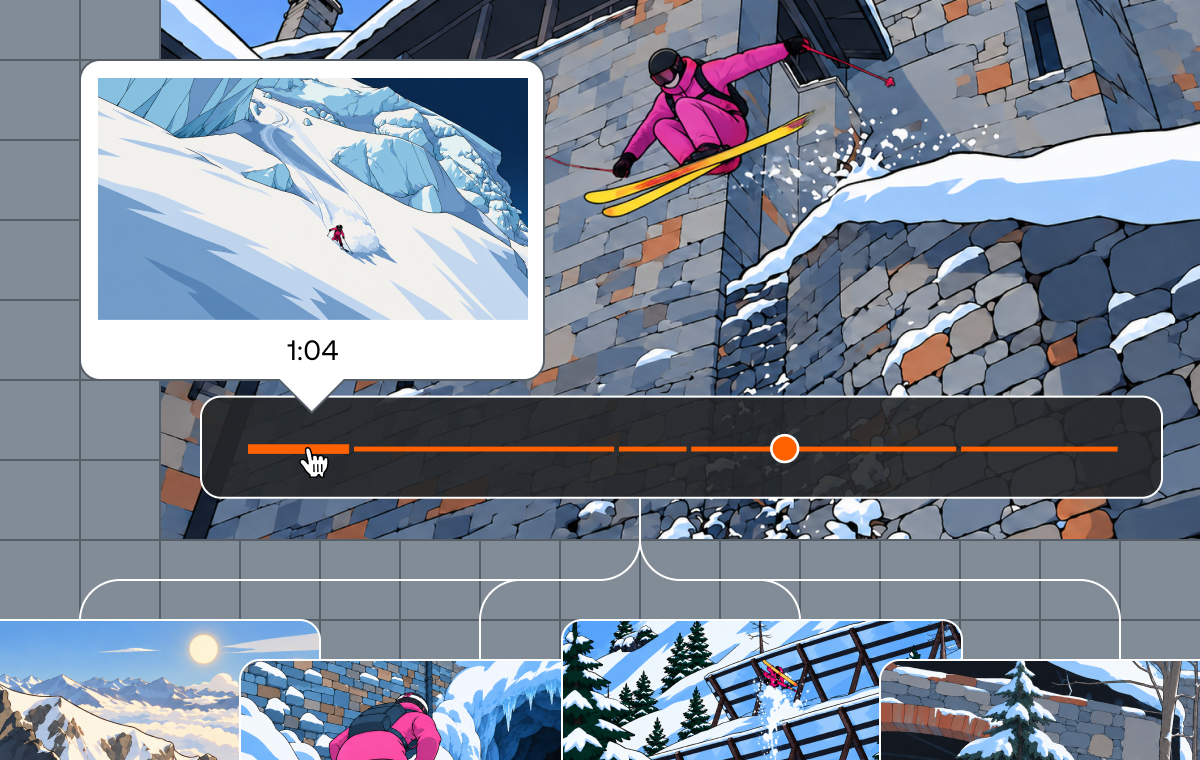
Why would you ever build your own agent harness when off-the-shelf tools like Codex and Claude are already available? That was the question I kept coming back to. The answer, at least for this experiment, is that making tools available is not the same as owning the workflow that turns them into a reliable product experience.
So here at Mux, where video is king, our teams share a constant stream of updates in Slack about what they’re building, of course some of which happen to be shared through videos. The problem is that video is hard to find again in Slack, and can easily slip into the void. Plus, a high level summary and/or being able to see at a glance if a specific topic was discussed in a video is super handy.
Agents and video intelligence
This gave me a perfect use case to test out some of the new Mux Robots workflows that I have been working on with the team. Here’s what I had to work with:
- Summarize workflow – for generating titles, descriptions and tags
- Key Moments workflow for automatically finding & generating clips of key moments for each video
- Finding the best thumbnail candidates
- Discovering shot boundaries and scenes
- Chapters and transcripts
- Multi-modal video search powered by embeddings that Mux creates behind the scenes. This is not public yet, if you’re interested in getting early access, hit me up.
APIs alone don’t make an agent
The problem is that I needed to take these APIs, these raw pieces of functionality and wire them up so that they can work for me as an “agent”.
If I am running everything locally on my computer, I might just fire up claude or codex and hand it the mux CLI and start prompting away. But I actually want to deploy this thing, and wire it up to Slack automatically so that it can do work for me on command, I can ask it to find specific clips, or I can throw videos at it, and it works for our team as a private, obedient and omniscient video library historian.
This actually provided a very useful divide, which was that an off-the-shelf harness is great for exploring what your tools can do. Owning the harness starts to matter when routing, permissions, progress, and the surrounding experience are part of what you are building.
Getting the agent out of the terminal with eve
This is where I found Vercel’s eve framework. I hear it pitched as “Next.js for Agents” – say less. I’m already a Next.js fan, so I knew right away that I definitely wanted to test this out.
The intent of the agent here helps us archive a video shared in Slack, makes it searchable, and brings Mux’s video intelligence directly into a place where our team is already working.
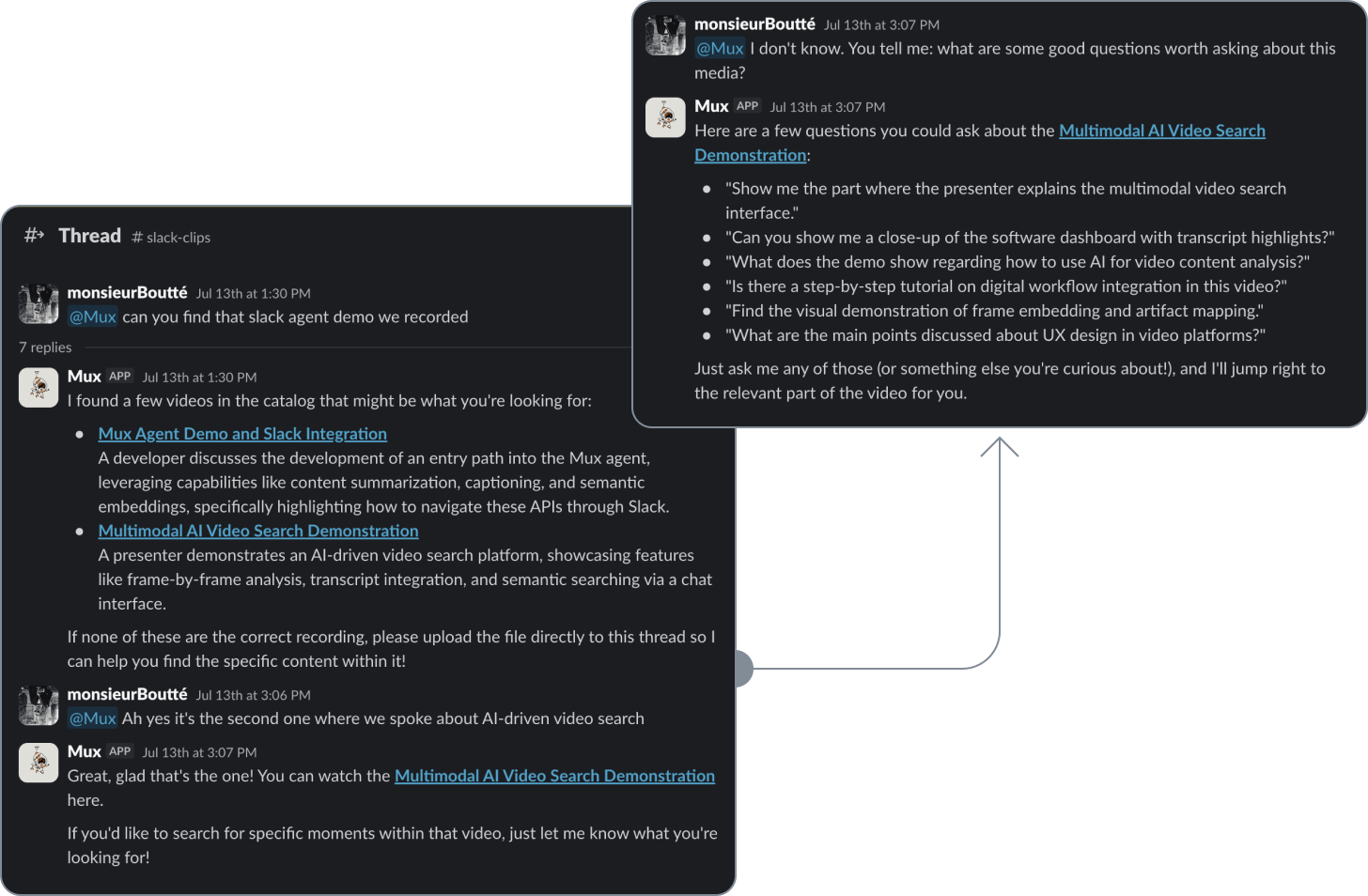
Someone just shared a sick demo? Cool, ingest it via the Mux Agent. Curious if that dev shared specific details about the feature you’re also working on? No worries, just ask the Agent about it. Looking for something specific that was shared within a video recently? Cool, ask Mux Agent to help you find it.
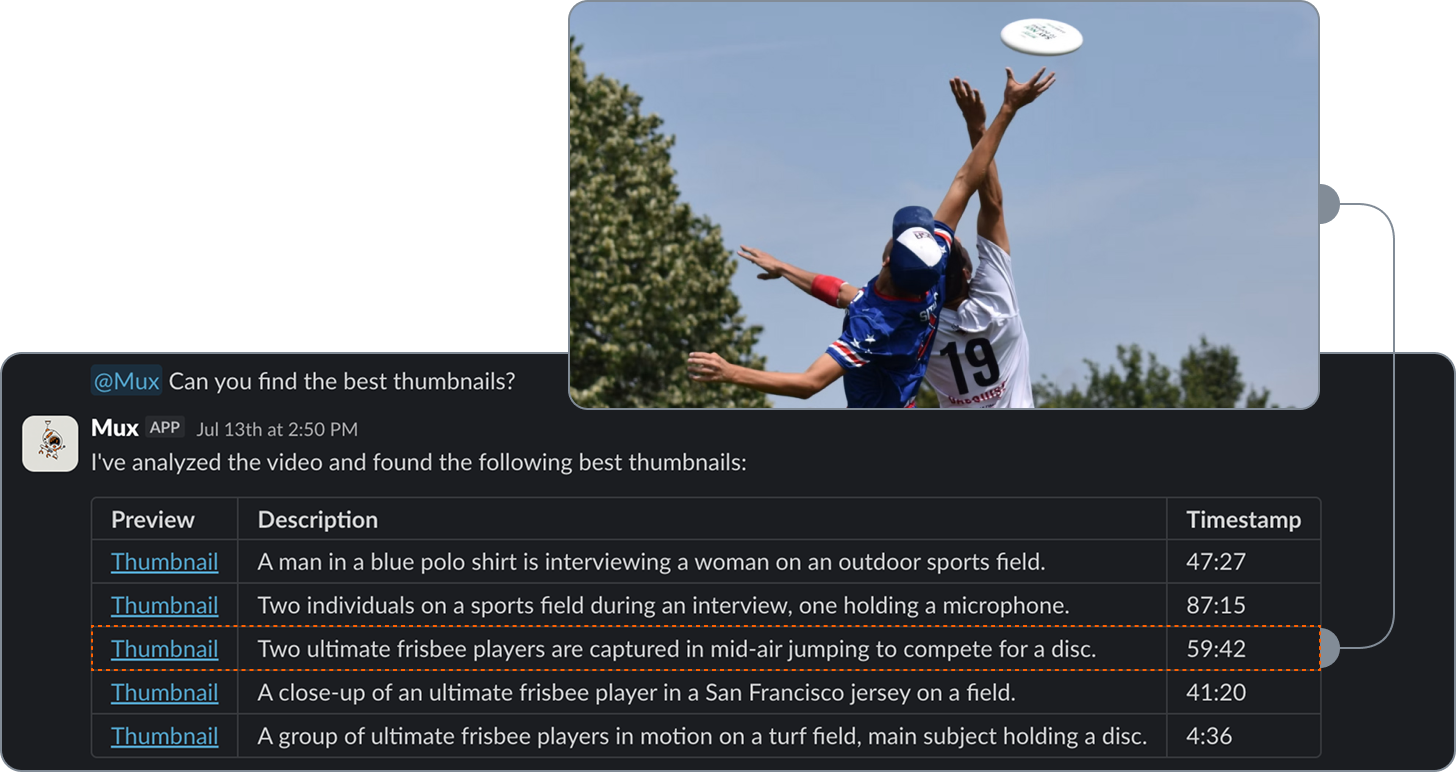
eve came through super clutch and gave us a pretty straightforward way to bring all of that into Slack.
What owning the harness actually gives us
An MCP server or CLI could make these capabilities available inside someone else’s harness. For this experiment, we wanted to own the workflow around them. When someone asks the Slack agent to ingest a video or find a specific moment, the harness keeps that request scoped to the right Mux context, follows the work as our APIs process it, and returns the result to the thread.
Owning that layer gives us two things: control over the complete user experience and visibility into how the workflow behaves so we can keep improving it. In other words, when a request needs to stay in the right context, survive asynchronous work, and return reliably to the place it started, orchestration becomes part of the user experience. It’s not just a plumbing detail.
Separating what the agent does from where it lives
eve gave us that control without requiring us to build the entire agent runtime ourselves. It also gave us a useful separation between the agent’s capabilities and the channels that carry messages to and from it.
- Tools: The actions the agent can take, such as ingesting a video or finding key moments.
- Skills: The instructions that guide how and when those tools should be used.
- Subagents: Bounded specialists that can handle distinct parts of a larger request.
They are represented as files within the agent project, which keeps the core agent definition inspectable and separate from any one interface.
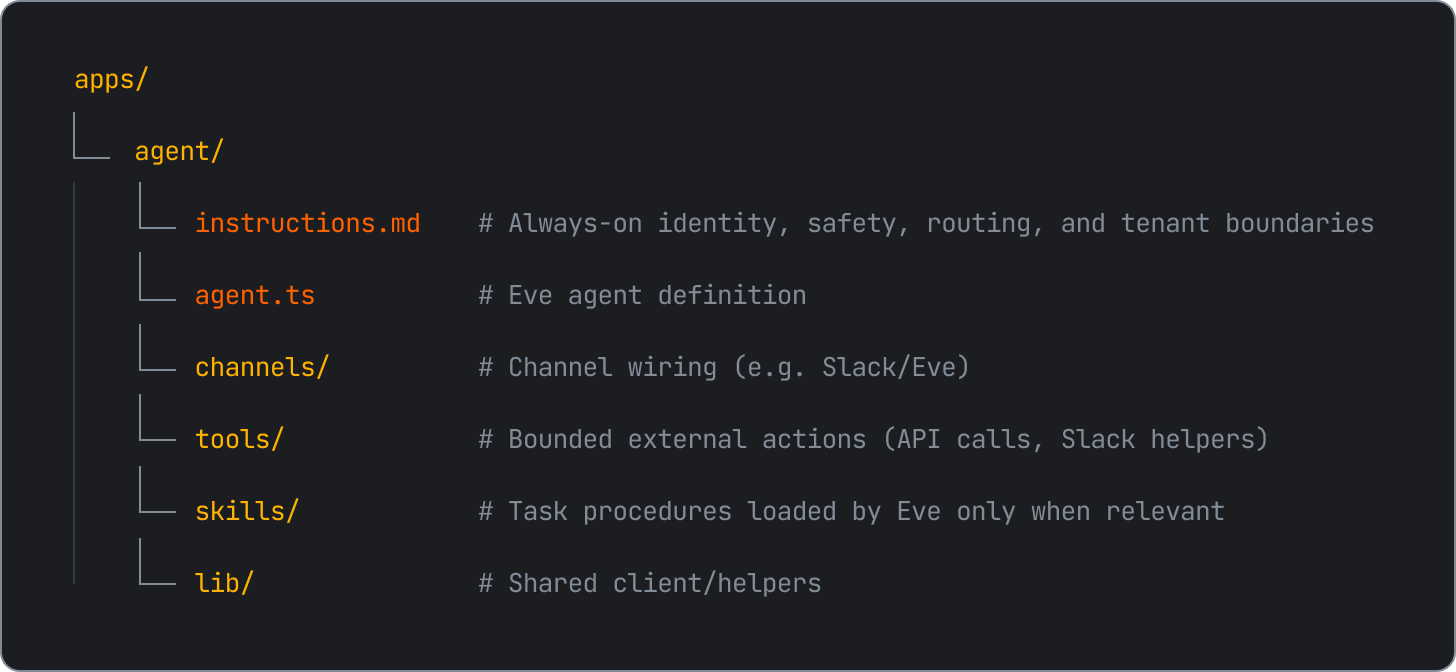
Slack is one channel around that core agent. A terminal or web experience can connect to the same tools and behavior through its own channel integration. Each interface still has channel-specific concerns, but the agent’s core capabilities do not need to be rebuilt for every interface.
If you are designing your agent, this separation is worth protecting. Define its capabilities independently from the channel so you can bring the same behavior to Slack, the web, or a terminal without rebuilding the agent each time.
From shared video to actionable context
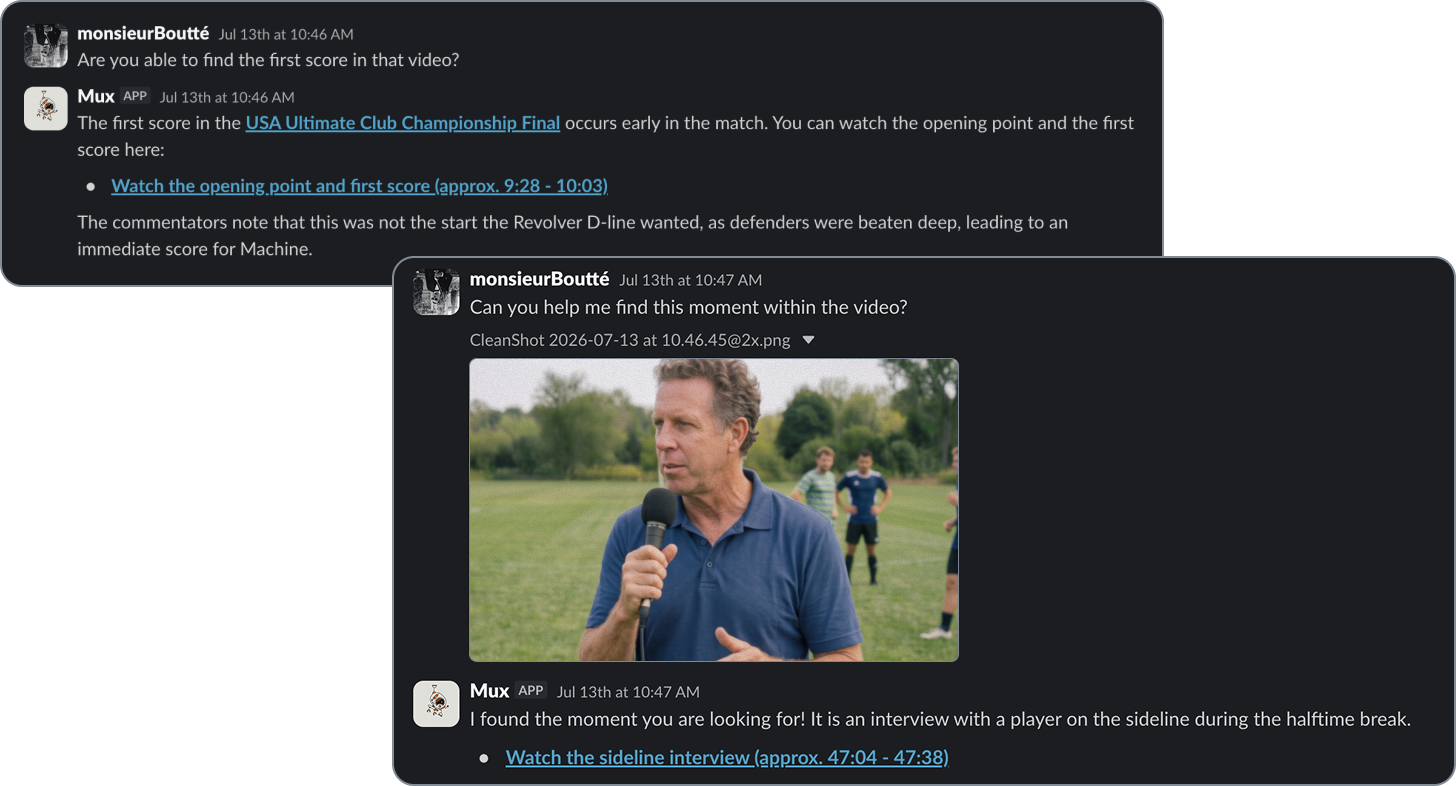
In practice, this now starts with something our team was already doing, which is sharing a video in Slack. Someone drops a product demo into a thread and now someone can mention the Mux Agent, which sends that video into our existing ingestion pipeline and reports progress as the API processes it. Once the video is indexed, anyone on the team can ask where the pricing screen appeared, ask about tech described in the video, request a summary, find key moments.. All without leaving the thread. If the video was shared previously, they can simply describe what they remember or even upload an image to search by and ask the agent to find it.
Let the APIs do the heavy lifting
One rule that has made this easier to reason about is to keep deterministic domain work in your APIs and let the agent handle intent, tool selection, coordination, and communication. Our existing APIs still handle transcription, embeddings, async workflow orchestration, and job state. The agent figures out what someone is asking for, calls the right tools, follows the work, and brings the result back. That separation has made the harness easier to debug and change as we keep experimenting.
Owning the harness also gives you a view into how people actually combine your tools. Users will often chain capabilities in ways you did not anticipate, with the output of one tool becoming context for the next. If you instrument those sequences and outcomes, they can reveal compound workflows worth formalizing. You don’t get those optics when your tools are running in someone else's harness!
Taking the same agent, beyond a single channel
Slack is where this experiment started, but it isn’t really the end goal. What feels promising here is that the same agent could eventually meet people in whatever channel they already use, with access to the videos in their own Mux environment. Today it means helping our team recover context from internal videos that might otherwise disappear into the ether. Over time, it could mean giving customers a similar way to search, understand, and act on their own video libraries either directly in Mux or from the tools where they already work. This experiment made the value of owning the harness click for me.
Off-the-shelf tools are great for exploring what’s possible, but building the harness is where you get to shape the entire experience around your use case. Pick one workflow you care about, start small, and try it for yourself. You might be surprised by what emerges once people start using your tools in ways you never anticipated.