Export usage data as a CSV
Export up to 13 months of Mux Video usage data as daily CSV files. Use this guide when you need to analyze usage by environment or by creator, for example to bill your creators.
In this guide:
As usage grows, knowing where it comes from can matter as much as the total. Usage Exports break down input, storage, and delivery usage by environment_id and creator_id, so teams running multiple environments or hosting content for many creators can analyze usage outside of Mux. To take advantage of creator-level reporting, set a creator_id on your assets — see Add metadata to your videos for details.
Each daily usage CSV includes a row for every asset that generated usage during the reporting period. Each row identifies an asset by its asset_id, along with the environment_id and creator_id from that asset's metadata, plus columns for each usage type across input, storage, and delivery.
Usage Exports require a paid plan
Mux Usage Exports are not available for accounts on the Free plan. Learn more about our plans.
Enable Usage Exports
Navigate to the Usage section in your organization settings in the dashboard. Select Exports in the left menu and click the Enable usage exports button.
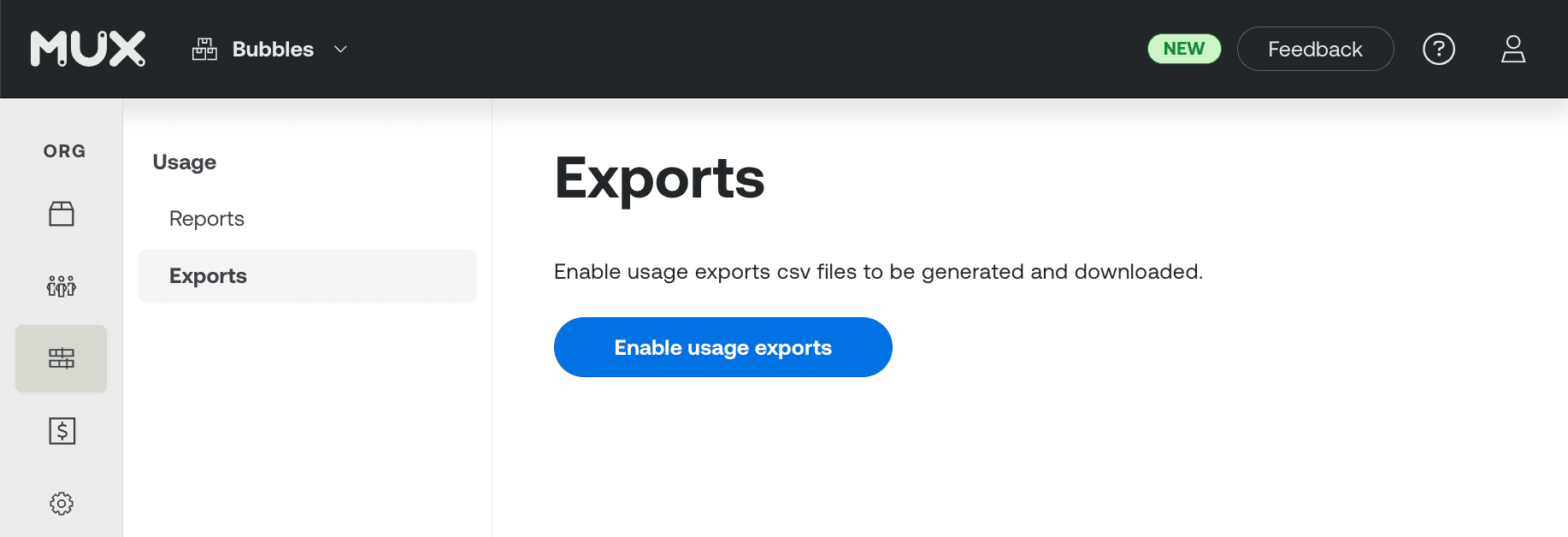
When you enable Usage Exports, Mux automatically backfills daily usage CSVs for the current calendar month. You can request a backfill of up to 13 months of history from the dashboard — backfill requests aren't supported via the API.
Backfilled storage data
Backfilled CSVs will not break down storage usage into cold and infrequent tiers.
Once enabled, Mux generates one daily usage CSV per calendar day (00:00:00–23:59:59 UTC). Generation begins at 08:00:00 UTC the following day; each CSV is available by end of the next business day at the latest.
Download CSVs from the dashboard
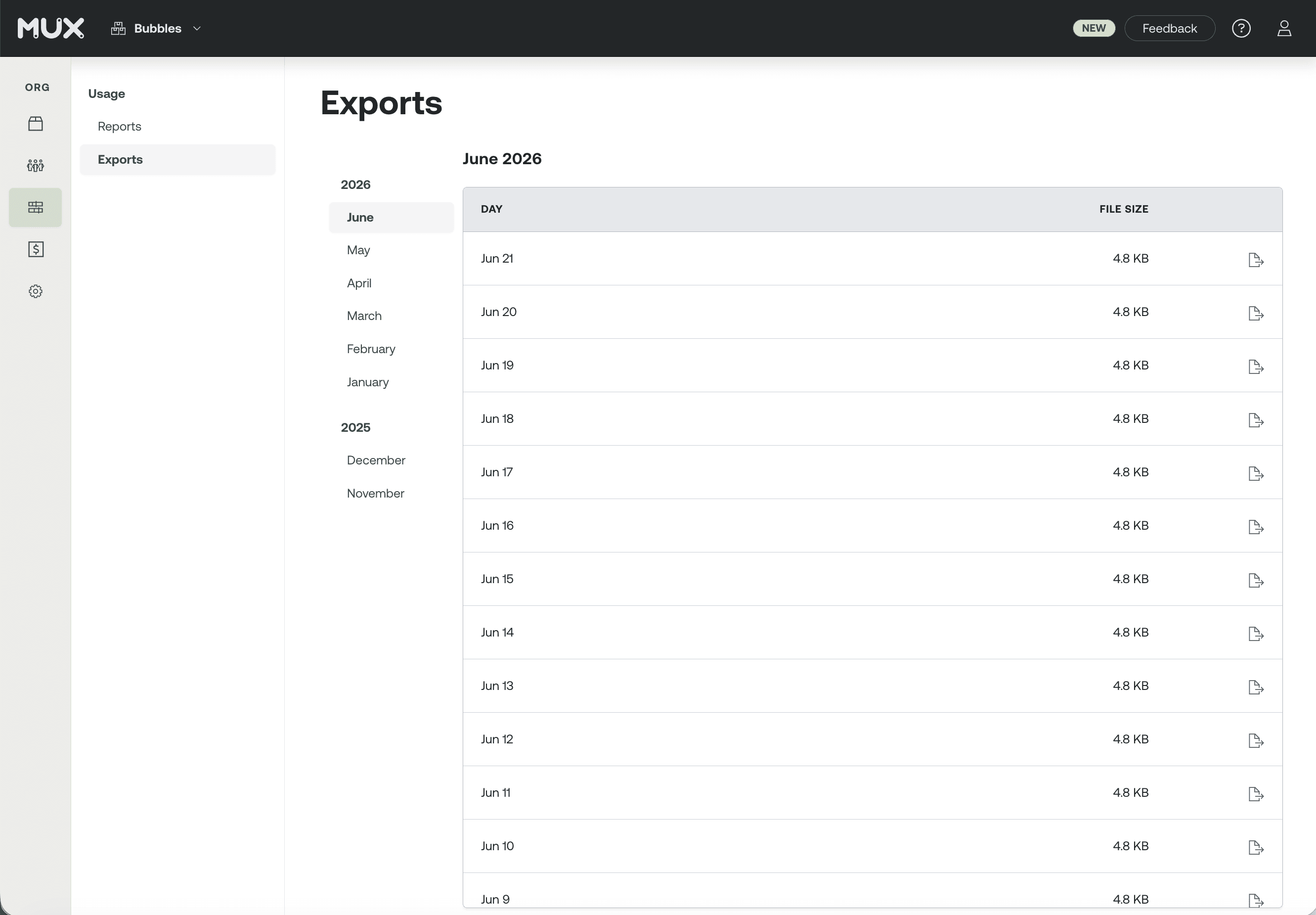
Once a CSV is ready it appears in the Exports page and is available for download for 30 calendar days after generation. You can request up to 13 months of history from the dashboard.
Retrieve CSVs via the API
Use the Usage Exports APIAPI to download daily usage CSVs in bulk or to retrieve new daily CSVs as they're generated. Authenticate requests with a system-scoped access token.
No webhooks — poll instead
Webhooks are not available for new CSV availability. To automate retrieval, poll the API on a schedule using a low retry rate. Daily CSVs are available by 08:00:00 UTC the following day at the earliest. We recommend requesting them after 23:59:59 UTC the following to avoid retries.
curl "https://api.mux.com/system/v1/usage/exports?timeframe[]=1743206400&timeframe[]=1743292799" \
  -u ${MUX_TOKEN_ID}:${MUX_TOKEN_SECRET}
The timeframe[] parameter accepts either two Unix timestamps or a single duration string (e.g. 7:days). Unix timestamps are truncated to the closest calendar day. If no timeframe is provided, the response includes all available daily usage CSVs.
{
  "data": [
    {
      "date": "2026-03-30",
      "file_size": 1048576,
      "download_url": "https://storage.mux.com/org_abc123/2026-06-09.csv?X-Amz-Expires=3600&X-Amz-Signature=abc",
      "download_url_expires_at": 1749513600
    },
    {
      "date": "2026-03-29",
      "file_size": 983040,
      "download_url": "https://storage.mux.com/org_abc123/2026-06-08.csv?X-Amz-Expires=3600&X-Amz-Signature=def",
      "download_url_expires_at": 1749513600
    }
  ],
  "meta": {
    "page": 1,
    "pages": 16,
    "limit": 25,
    "total": 397
  }
}
Additional query parameters are available, including download URL TTL and pagination.
| Parameter | Type | Default | Description |
|---|---|---|---|
download_url_ttl | integer | 3600 | Lifetime of each pre-signed download URL in the response, in seconds. Min 1, max 604800 (7 days). |
page | integer | 1 | The page of results to return. |
limit | integer | 25 | Number of CSVs per page. Max 50. |
timeframe[] | Unix timestamp | — | Array of two Unix timestamps, e.g. timeframe[]=1609459200&timeframe[]=1609545600 OR single duration string, e.g. 7:days |
Usage Exports and Monthly Invoices
Daily CSVs are generated from 00:00:00 to 23:59:59 of each calendar day. Invoices are generated based on usage accrued during the billing cycle, which is unique for each organization. The monthly totals for the daily usage CSVs will not perfectly align with monthly invoices.